The > is to indicate that it is a nested form. The form title for each can be changed, and perhaps it would be clearer if I had them set to be "Edit Site > Edit Staff Member" or something like that?
Are you seeing the > and the space between the two form titles? What styling framework are you using with the example?
It is indeed an error on my part - apologies. I had the CSS required in the DataTables default stylesheet, but not in the integrations such as for Bootstrap.
I've committed the fix and it will be in the next release. Until then, if you want a workaround, add the following to the CSS to your page:


Answers
Hi,
This is what it should look like:
The
>is to indicate that it is a nested form. The form title for each can be changed, and perhaps it would be clearer if I had them set to be "Edit Site > Edit Staff Member" or something like that?Are you seeing the
>and the space between the two form titles? What styling framework are you using with the example?Thanks,
Allan
Thanks for the response. I am using Bootstrap for styling. As of 10 minutes ago this is how it is on your website. The > is not present.
However it makes sense that it is a cookie trail. And your suggestion of "Edit Site > Edit Staff Member" would definitely have made that obvious.
Many thanks for letting me know! I'll look into that and report back
Allan
It is indeed an error on my part - apologies. I had the CSS required in the DataTables default stylesheet, but not in the integrations such as for Bootstrap.
I've committed the fix and it will be in the next release. Until then, if you want a workaround, add the following to the CSS to your page:
Thanks again for letting me know about that error.
Regards,
Allan
This works great.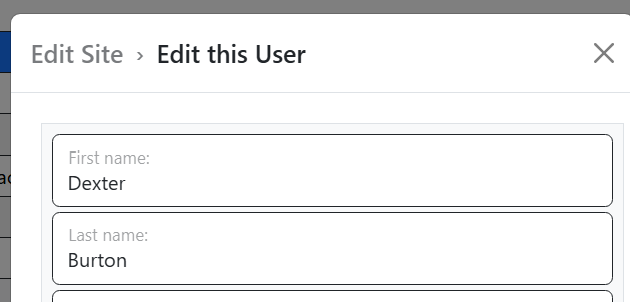
Also the opacity looks nice also. Lots of opportunity for enhanced local styling.