
State Restore - looping through states and filter data
State Restore - looping through states and filter data
 bg7
Posts: 134Questions: 20Answers: 0
bg7
Posts: 134Questions: 20Answers: 0
I'm using State Restore and want to loop through the saved states and collect data from the rows that appear when each state is loaded. The approach I'm currently using works but is complicated. It is roughly as follows:
- Save the current state to a temporary state.
- Loop through the existing saved states, load one at a time and listen for the draw to complete as each state is applied, then grab the resulting rows and get the data I need and save that data off to a list.
- Restore the saved temporary state.
- Remove the temporary state.
- Switch to another screen to use the collected data (in this case to generate charts based on the user's saved states all at once).
It all happens quickly enough that you can't tell as a user which is good. That said, it is complicated and I was hoping I could simply loop through the saved states and ask for the filtered data for each state without affecting the current table. Is it possible and I've missed a simple way to do this? If I could call something like filter() on the state that would massively simplify things but from what I can tell that's not currently possible.
https://datatables.net/reference/api/filter()
One other thing I wanted to ask is if there's a way to add a confirmation modal to the "Remove All" for states. By default there's a confirmation modal when you try to remove a single state which seems reasonable but there's no confirmation modal if you remove all of the states at once which seems odd given it's potentially far more destructive. A confirmation modal by default would be great. I couldn't figure out a simple way to add one in manually.
https://datatables.net/extensions/staterestore/examples/initialisation/removeAll.html
Thanks.
Ben
This question has accepted answers - jump to:
Answers
One option might be to use
stateSaveParamsto save the desired filtered data set with the state. Then you can loop through with eitherstateRestore.states()orstateRestore.activeStates()and grab the saved filtered data without needing to load the states. Similar to this example. The example doesn't run properly and throws this error:@allan will need to fix the error.
The
removeAllStatesstates this:One option might be to create a custom button and use
stateRestore.states().remove()setting theskipModalparameter totrue.Kevin
Ah sorry, the Vanilla JS example code incorrectly uses a jQuery method, which is what is throwing an error there. Replace:
with:
I'll get the example updated as part of a rewrite process that StateRestore will shortly be undergoing.
Allan
Kevin and Allan,
If I'm understanding the stateSaveParam suggestion correctly I don't think this would fit my use case. The list of rows that match a saved state could change while using the system so saving a snapshot of the results at a given time wouldn't work. Does that sound right? I was hoping there was a way to create something like a filter() from the saved state so that I wouldn't have to loop through the states and load them into the existing table, listen for events, manage temporary states to be able to restore the original state, etc. Is that just not realistic?
I can give the custom button a try. I saw the documentation for the remove all states saying that it doesn't have a confirmation modal. I guess I'm suggesting that perhaps it should have one by default as the single remove has one and removing everything at once is obviously far more dangerous. Just my two cents.
Thanks.
Ben
Hi Ben,
Very good point, yes, that seems wrong to me. You can workaround that with:
The default action is to pass
trueintostateRestore.states().remove()which skips the modal.The proper fix should really be to default to showing the confirm modal, and giving the button a configuration option to allow it to be skipped.
Regarding your main question about looping through states to grab data, I think Kevin is on the money with the use of
stateRestore.states(). Use that to get the list of states, then create a queue mechanism that will loop over them, draw, grab data and repeat until the queue is empty. No need to usestateSaveParamfor that process.Allan
I guess it depends on your solution. I don't fully understand your solution and might not understand your requirement for this.
My original idea was to save the filtered rows. You said this might not work with your solution. My updated idea might not work either but it will reduce the amount of row data stored if each row has a unique data column. This test case shows saving the data from the unique data column using
stateSaveParams. The buttonList saved datawill iterate each save state and list the filtered rows based the unique data point.https://live.datatables.net/nipeceto/1/edit
If storing the full row data or the unique data won't work for you then you could iterate the
stateRestore.states()states and get thes.savedState.searchterm and optionally iterates.savedState.columnsto get their search terms. You could then usefilter()with these search terms to get the appropriate rows. Depending on the search mode, etc thefilter()results may or may not match the saved filtered tows.Kevin
Allan,
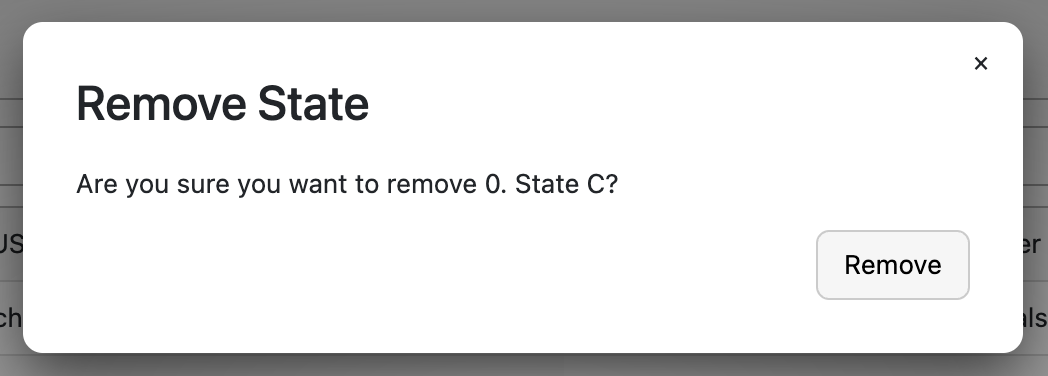
I added the code you posted for the remove all states - thanks. The confirmation modal is showing up now but it's missing the 'x' to close it in the top right corner. Is that easy to add?
Remove:
Remove All:
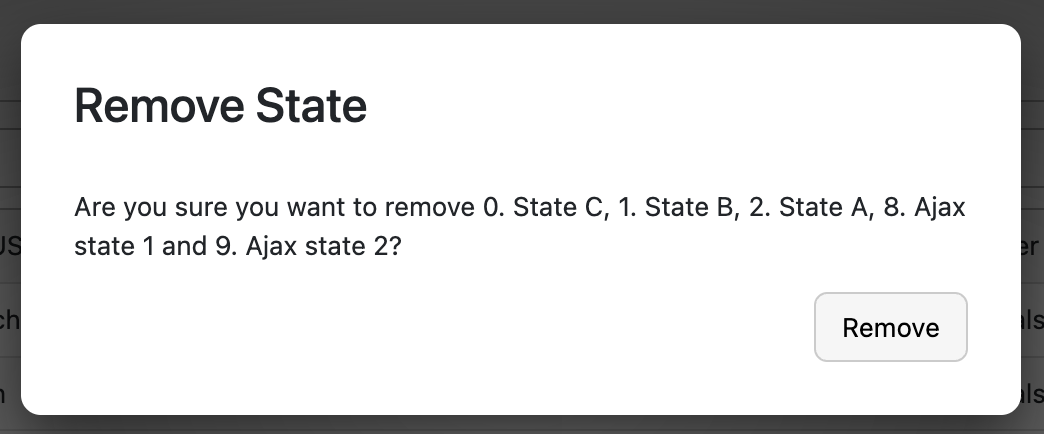
Also curious if would it make sense to have the default confirmation modals for the create, rename, remove, remove all states also have cancel buttons? It would make the modals more intuitive from a UX perspective. And one small thing - the confirmation modal title for remove all would make more sense as "Remove State(s)" plural.
Thanks.
Ben
Hi Ben,
You've hit upon a number of reasons why I plan to rewrite StateRestore here... There are just too many noddy little things which shouldn't be there.
There isn't a trivial option to fix that close button - I'll need to make a code change. I'll try and get that done tomorrow.
Regarding the cancel button, I've been in two minds about that. Currently you can click the background to dismiss (cancel) the action and the X icon (if it were there!). A third option as a cancel button could certainly be added, and probably should be, but I've always hesitated about it!
Allan
Allan and Kevin,
Makes sense. Sometimes the best thing is a refactoring house cleaning. We'll manage without the 'x' for the moment. If you're taking votes, I vote cancel button. Now as for which order the cancel and ok buttons go in... no clue what's "right".
I'm pretty sure I see what you guys are suggesting with the example you put together Kevin. If I'm not mistaken the idea is to take some subset of the data when the state was created and save data that to the state itself. Then when you loop through the states you don't have to actually load the state because you can simply grab the data right off it. (Correct me if I'm wrong.)
Unfortunately that won't work for us. Our data is live data from an electrical grid and it's constantly changing (and the table's data is constantly updating to reflect that). So for example, a saved state might be a search of all generators that are currently running. That list might be different from the time you save the state to the time you go back later and loop through the states to, e.g. use that data to generate charts for each generator. As the data is dynamic, saving a snapshot of that data at any given point isn't going to work for us. Hopefully that makes sense.
Kevin, I did actually put together a button that inspected the state restore object and collected all the various search strings, filters, etc. I was then able to use it in conjunction with the filter() method with a custom function to essentially implement that filter on the fly. It worked, was quick and didn't require loading/saving states but it was a lot of code and felt really brittle.
Door number two is the approach I'm using at the moment. Save the current state to a temporary state, loop through the saved states loading each one and then listen for the draw to complete before getting the data from the resulting rows and then load the next state and so on and then restore the original state at the end so the user is none the wiser. It's a bit of code but on the plus side it doesn't require inspecting the state object and pulling it apart. And it's also thankfully quick enough that you can't tell as a user what's happened.
I was hoping there was a way to grab a state object and then do something like call filter() off that to get the table's data with the state's filter applied without actually affecting the data the user is looking at. Sounds like that's not possible but that's why I wanted to ask. If that's a feature you think would be worth adding I'd definitely take advantage of it. Hopefully it makes sense what I'm describing.
One other small issue I ran into was when I was creating the temporary state. I set the creationModal flag on the savedStates button extension config to true:
creationModal: true,
so that users get a modal to name their state immediately upon creation. That's definitely a good thing. The problem is when I'm creating the temporary state that flag is still true but of course I don't want to prompt the user to give it a name. I tried passing that flag into the add method:
Unfortunately it appears the DataTables code stops checking if it's already set to true in the config:
So there doesn't seem to be a way to override it. It'd be nice if you could pass a flag into the add method as a second param like you can for the remove. As a workaround, I ended up turning it on and off:
Not pretty but it does work. If there's a better way to handle this I'd be happy to hear.
Thanks.
Ben
Correct. Sounds like your data changes in such a way that the same search will yield different results depending on when it's performed. In this case this solution won't work.
Yes, depending on how the table is searched this could have different results. For example Smart Search versus Regex, etc. You could post a test case or update mine with your working code. Maybe we can provide suggestions to make it feel less brittle.
There is nothing built-in for this. You could create an API plugin that could be called with the stateRestore object as the parameter returning the data from the table. This might help clean up the code and provide one place to make changes.
@allan can comment on adding it as a feature.
Almost all Datatables config options are static and checked only at initialization. To change them requires destroying and reinitializing the Datatable with the desired set of options.
Again @allan can comment on this.
Accessing the private Datatables API directly like that is not recommended. However sometimes it is necessary to accomplish what you want. The best way to handle this is by creating an API plugin. This way if the private API changes you can update the API to accommodate the changes.
Here is a simple example that might help you get started with either API code:
https://live.datatables.net/fatuhada/1/edit
Kevin
Sorry no, there is no option for that at the moment. A number of the operations only "commit" when a draw is performed - for example you can apply multiple filters to a table, but the filtering actions will only happen when the table is redrawn. As such there is no way to get the display data from a table "offline". The closest option would be to have a hidden table that you can change the state of.
Agreed, that is a design flaw in the way StateRestore currently operates. My intention with the rewrite is to separate the actual states from the UI layer. For example, I recently wrote a table to display the states rather than the button list for a client and that worked really well.
I've just made a few commits to StateRestore to address:
The nightly build has those changes if you want to try it out.
The deeper fixes will hopefully drop out of my rewrite, which I am aiming to work on when I get DataTables 3 beta 1 out (that isn't far away).
Allan
Allan,
Makes sense. That's exciting about DataTables 3! Definitely looking forward to it.
I noticed in using the standard ajax configuration for StateRestore here:
https://datatables.net/extensions/staterestore/examples/initialisation/ajax.html
that it sends data as this type:
"application/x-www-form-urlencoded"
Is there a way to configure it to send it as json? It would be easier to process on the server. I'm using the custom ajax function instead to do that but thought I'd ask in case I'm missing a simple config flag.
Thanks.
Ben
Hi Ben,
Another one for the list! Unfortunately no, that parameter takes a string or a function. There isn't currently a way to configure extra parameters for it. Ideally it should be like the DataTables
ajaxoption which can be a string, object or function. I can look at adding that in if you like?Allan
Allan,
If you added it that would be fantastic and I'd absolutely use it! Is that a simple change I could patch and try or no? It would eliminate a bunch of code on my end.
I suspect it would also help with a weird issue I'm running into with the "Remove All States" button. When I click it, one delete request is sent per state. For some reason each delete request is processed successfully on the server and all of the database records are removed but on the client it always leaves one state. And If I only have one state in the list it refuses to delete it, even though it gets deleted from the server. I checked the network traffic and the "Remove All" requests look identical to the "Remove" requests. At first I thought it was a timing issue but given that it doesn't work for a single state and the "Remove" button for the individual state works fine I'm pretty confused. I have a feeling using the DataTables code for the client would run smoother. Or I'm just completely missing something. And yeah, I know your example on the site works fine and that's why I'm guessing it'd run smoother if I could piggyback off the DataTables code to process the request. As an aside, is there a reason the Remove All isn't a single request to delete everything at once instead of looping through all the records and creating individual requests for each one?
There's something odd going on with the checkmark that shows up next to the current state.
If I create a state the checkmark shows up. If I change the search terms it disappears and if I change them back it shows back up again. All that works fine. But if I reload the page it stops working. I tracked it down to the StateRestore.prototype._deepCompare method. It looks like the comparison is failing on the column the table is ordered by, by default - "datastreamName".
I let Copilot try to track it down (I don't entirely trust that thing as it makes a mess more often than not so feel free to ignore this part) and this is what it had to say:
The failure is happening in StateRestore.prototype._deepCompare at core/uiCoreWebClient/src/main/webapp/js/datatables/datatables.js (around 51387), where it does a strict type check:
typeof states[0][keys[0][i]] !== typeof states[1][keys[1][i]]
What your keys[0][i] === '0' means
That '0' is not a column id/name. It’s the array index while recursively comparing an array entry (e.g., order item like [col, dir]).
So at that level _deepCompare is effectively comparing:
left orderItem[0] (string in one state)
right orderItem[0] (number in the other state)
Why types diverge
This comes from mixed representation of sort column:
one path keeps column token as a name/string (or numeric string),
another path resolves/normalizes to a numeric column index.
I then let it try to "fix" this and predictably it made a mess that didn't help at all.
One other thing I stumbled across is what I think is a typo. There are a bunch of references in the code to "isPreDefined". There's one single reference to "isPredefined". Note the lower case 'd' in the second one. I'm guessing it's supposed to be uppercase. No clue what the consequences might be of the naming mismatch elsewhere in the code.
The two are showing up in the same object which was very confusing at first because my brain didn't initially notice the case difference and I couldn't see how it could have two of the same key, let alone with one set to true and the other false. You can actually see both appearing in some other posts:
https://datatables.net/q/?q=isPreDefined
Thanks.
Ben
Allan,
This morning I let Copilot take another crack at the ordering and state matching issues I've been seeing. This time the patches it generated worked.
Previously if I saved a state, then reloaded the page, then loaded that saved state there were two issues. First the column it should have been sorting on it didn't sort on. Second, even if I sorted on that column manually the checkmark in the saved state dropdown didn't show up to indicate it matched. Copilot gave me two blocks to update and both of those issues are now resolved.
The first block it had me put in StateRestore.prototype._deepCompare to replace this:
With this:
The second change went into StateRestoreCollection.prototype._fixTypes. This block:
got replaced with this:
It's now ordering properly on selecting a saved state and the matching works to get the checkmark to show up.
Any thoughts on these changes?
Thanks.
Ben
Hi Ben,
I've made two commits today for some of these issues:
(1) - adds support for
ajaxas an object and adds asubmitAsoption to have the data submitting in the request body as a string - this matches DataTables option.Looking at this has reminded me of one of the issues that I was encountering previously - I think the state should be a JSON string and it should be stored in the db as such. That way any typing information is retained and you shouldn't have a problem with the state selection (hopefully!). I think I'll probably add another option for that
stateAsJsonperhaps.(2) - fix (hack) for the delete all leaving a single record. The issue is that it was calling the
remove()on each state but not accounting for the Ajax callback being async. I did prototype a solution to submit everything in a single request, but it caused all sorts of issues in the unit tests that were going to be a nightmare to resolve. I think it will be better to just get this working just now and then I can focus on the rewrite soon.Today has just hardened my resolve that this needs a total rewrite. I'll try to keep the API the same for backwards compatibility, but I suspect there will be some harmonization needed.
Allan
I've just made another commit which adds a way to have the state object submitted as a string. You need to add this before you initialise your DataTable:
StateRestore will check that property before it submits an Ajax request and will send the state as a JSON string. Loading will correctly parse string values for a state as well.
I'm not going to document that one as it will almost certainly change - although into what I'm not yet certain. There needs to be a central way to configure StateRestore rather than spreading it over buttons, which in retrospect isn't great. I'm starting to get a few ideas having worked on this though!
The nightly build now has these changes in if you'd like to give it a whirl and let me know how you get on.
Allan
Allan,
I've loaded up the nightly build you linked to. Thanks for putting that together! I re-patched it with the Copilot fixes and the fix for the 'isPreDefined' I mentioned above.
Remove all now works - that's great.
I've added the ajaxJsonState flag you mentioned. My ajax definition now just looks like this:
Is there something else I need to add? I'm not sure if I'm missing something because I'm getting a "415 Unsupported Media Type" response now and it looks like it's still sending form data instead of JSON.
Any thoughts on the Copilot patches and the 'isPreDefined' casing? Those all seem to work alright but I've been holding off on saving those changes until you say they look ok or not (Copilot tends to brute force stuff so the code is not always great) and if that code or something like it will likely make it back into the DataTables code. It was the only way I could get the reloading/ordering/checkmark stuff to work.
Btw, people here are really excited to use this functionality. For too long they've been saving searches they use to generate charts by storing regex strings elsewhere and then having to manually reload them one at a time. Having all of this baked into DataTables, stored in the db and a single button to generate all the charts at once is a big deal.
Thanks.
Ben
The
ajaxJsonStatewill still send form parameters, but the state itself would be a string. If you want to send the whole thing as JSON (i.e. no form parameters at all, just JSON in the request body), use thesubmitAsoption forajaxand set it to bejson- i.e.:Regarding
isPreDefinedetc, I'll dig into them and let you know.Allan
Allan,
I updated the config as you listed and I'm still getting 415 errors. The data now looks like it's going out as JSON but the request header shows this:
content-type
application/x-www-form-urlencoded; charset=UTF-8
With my custom ajax function that works I see this:
content-type
application/json
Is there another flag I need to pass through?
Thanks.
Ben
Allan,
Looks like there's a block missing from this method:
This needed the content type check added like it's done elsewhere:
No more 415 errors now. The data is returning as JSON but isn't loading into the State Restore drop-down. Not sure why yet. Looking into that next.
Thanks.
Ben
Allan,
I can see what's happening now but I'm a bit confused as to why. State Restore appear to be loading the data in at the wrong level of the map for the saved states, for lack of a better way to describe what I'm seeing. This is an example of the start of the data being returned to the browser on load:
This is what I'm seeing when I using my custom function:
And this is what I'm seeing when I use the built-in ajax config:
It's like it's loading the wrong level of the data thinking the top level is the states. The data coming back looks, as far as I can tell, like the ajax data in the example:
https://datatables.net/extensions/staterestore/examples/initialisation/ajax.html
I suspect I'm missing something though.
Thanks.
Ben
Allan,
I figured out what was going on. I needed to adjust the data coming back from the server to just send the map of states. Works great after that. All the functions seem to be working well now - create, update, rename, remove, remove all. Except...
Now my custom Create Charts button doesn't work. The reason appears to be the following. I need to create a temporary state that isn't saved to the database so I can loop through loading all of the saved states, collect the data I need for the charts and then load the initial (temp) state back in so the user can't tell anything happened. The problem is creating the temp state is triggering the built-in add which now that I don't have a custom ajax function to handle I have no control over.
I tried modifying the settings to keep it from getting saved like this:
but it ended up saving the state as "null" instead and then the load failed.
In my custom function I'm doing this to avoid this problem:
So it looks like I may not be able to use the built-in ajax config after all. I still think it would be useful for others though. Of course if I'm missing something in my analysis by all means let me know.
Thanks.
Ben
Hi Ben,
I've committed changes for the content type (sorry about that), the predefined typo and also a change to allow for named columns in ordering.
These are in the latest nightly if you'd like to try them out.
What I haven't changed is the deep compare part - I'm rather hoping that with the state string as JSON, it won't be needed now. However, if it doesn't work, could you show me an example full state object that you are using? It could be that I need to add that extra checking so that things like
typeof new Number(...)which returnsobjectare handled, but I'd like to understand why the objects would be getting created in that way.Allan
Allan,
That all looks fantastic! No more State Restore patches here - I'm just using the nightly build to you linked to. Everything works now. And I even figured out how to save/restore the user's state without having to worry about it getting picked up by the ajax call so I can now use the built-in ajax config and ditch my custom function.
Does that seem reasonable?
Thanks a ton for helping get all this sorted out! It's very much appreciated.
Ben
Excellent! Delighted to hear we worked through that and StateRestore is a bit more useful now .
.
Yes, that approach seems reasonable. It will update the table state without redrawing the table. Obviously if the user then were to redraw the table, it could shift significantly into the new state, but you could just save the state it was in initially and then restore that if that were important. Good idea using
full-hold!Allan
Allan,
The new functionality is off to the users here which is exciting.
One of them ran into an issue. I've got another button that lets users who have selected one or more rows click the "Show Selected" button which then filters to show just the rows that are selected. That button then toggles to "Show All" which lets them switch back to see all the rows, selected or not. The challenge is in keeping that search and selected rows data in sync with the saved states.
I started looking at the state restore for selected rows and unless I'm missing something it's not working. I put together this bare-bones example:
https://live.datatables.net/xujayuga/3/edit
If you select some rows, save the state, unselect the rows and then reload the state the selected rows don't get re-selected. They should, shouldn't they? I tried forcing it setting the select config attribute here:
https://datatables.net/reference/type/stateRestoreConfig#saveState
Basically the opposite of this:
https://datatables.net/extensions/staterestore/examples/customisation/noSelect.html
But that didn't seem to work. Am I missing something?
Thanks.
Ben
I think you are missing something. Take a look at this working example. Note the use of
rowIdto set thetrID of each row to a unique data column. Click theAjaxtab to see the data source.This stateSave example documents the use of
rowIdwith select and stateSave for stateSave to find the proper rows to reselect. Took me a bit to find this noteKevin
Kevin,
I'm using rowId. We use that pretty much in every table. In this case it's a function that generates a uuid but I assume that doesn't matter.
I just noticed that if I clear the state and then reload it, it's loading the selected rows but if I reload the page it stops working. Time to dig into the json for the state and see what's gone haywire. Thanks for the pointer.
Ben
Guessing the UUID is a random number and is not the same for a particular row each time the page is loaded.. Is that true for your case?
Go to the example I linked to and select a row. In the console paste this statement:
You will see a
selectobject that contains the ID's of the selected rows, for example:If the UUID changes each reload then the saved
selectobject will have the wrong IDs.Kevin
Kevin,
As soon as you pointed out that it's storing the (dynamic) rowId in the state I realized my (now quite obvious) mistake and that's not going to work for us as you rightly suggested.
I've since excluded the select data from being saved in the config:
I've also stripped out the column search string I'm using to show only the selected rows (if the user has selected that) before a state is saved in the stateSaveParams. And I've unselected any selected rows when saved states are loaded. Seems to work much better now. We'll be fine without saving the selected row data.
I am seeing something odd though. If I update a state, with rows selected, I'm seeing it (occasionally?) send the selected row data even though the config is set to not do that. Create seems to be stable and never sends that data but I'm definitely seeing update send it at least every once in a while as you can see below. This is from an update and you can see the data for the two selected rows:
It doesn't seem to be happening all the time but unless I'm losing my mind it sure looks like it's occasionally sending it even though the config is set to false. And I'm definitely having trouble consistently reproducing it. Weird. It's not the end of the world and I could add logic to the stateSaveParams to strip it out if it's there but I figured I should ask you first.
Thanks.
Ben