
What is the media query / css I need to change to make the small device style the same for large dev
What is the media query / css I need to change to make the small device style the same for large dev

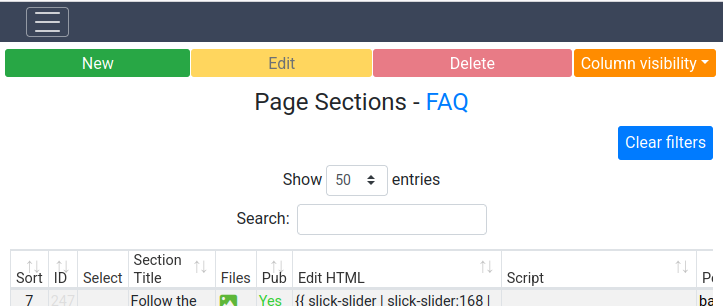
In the Desktop view Limit Results is left-aligned and Search is right-aligned. On small devices maybe under 768px, not sure, they are stacked and center-aligned.
1) What CSS do I need to add (to my custom css) to make the small device view the only view?
2) How then do I make both Limit Results and Search left-aligned in the view
This is BS4, but would like to be able to do this with BS5 too.
Much thanks
Answers
I think all you need is to use the
layoutoption to place the elements where you want. For example:https://live.datatables.net/fomayuda/1/edit
Is this what you are looking for?
Kevin
Just to add a little bit about media queries - it would be possible, but DataTables uses the Bootstrap layout classes, so it is actually the Bootstrap classes that you'd need to overwrite (e.g.
row) - probably using the.dt-containerselector to limit the scope.However, as Kevin says, use
layout. It is independent of your styling framework, so it will work with any styling integration DataTables supports.Allan
I could not figure out what you were inferring with layout. This is the solution I was looking for:
.dataTables_length
{
text-align: right !important;
}
.dataTables_filter
{
text-align: left !important;
}
@media screen and (max-width: 768px) {
.dataTables_length
{
text-align: center !important;
}
.dataTables_filter
{
text-align: center !important;
}
}
Did you look at my example?
https://live.datatables.net/fomayuda/1/edit
Please refer to the
layoutdocs. The example usestopStartto place theSearchinput to the left. Then usestop2Startto place the page length menu to the left above theSearchinput.Here is the code:
Note the
topEnd: nullto remove the default placement of theSearchinput.Maybe I'm not understanding what you want based on your above screenshot and description of making both left aligned sith one above the other.
If you have further questions then please post your Datatbles init code so we can see what you have. Better is to provide a test case, maybe update mine, with a description of what you want changed so we can offer better suggestions.
Kevin
dataTables_lengthanddataTables_filtersuggest you are using DataTables 1.x. Is that correct? I would very strongly suggest that you update to the latest release version as 1.x is no longer receiving updates. Indeed, v3 isn't far away!Allan