
SearchHighlight not working as expected
SearchHighlight not working as expected
 heronalex
Posts: 7Questions: 1Answers: 0
heronalex
Posts: 7Questions: 1Answers: 0
Link to test cases:
https://live.datatables.net/zuduvoco/3/edit
https://live.datatables.net/vosalupi/1/edit
Error messages shown IN THE FIRST TEST CASE:
"Script error. (line 0)"
"ReferenceError: DataTable is not defined
at <anonymous>:2:13
at https://live.datatables.net/js/prod/runner-3.17.11.min.js:1:13478
at https://live.datatables.net/js/prod/runner-3.17.11.min.js:1:10543"
Description of problem:
Hello,
I've just implemented ColumnControl to our table, but I have lost part of the searchHighlight function.
In our previous table, we were using the individual column searching for text input and filtering, but we realised that we needed something more performant and ColumnControl is really good  thank you for the great plugin!
I tried to create a test case in live.datatables.net, but for the life of me I cannot make it work as it does on our end. It seems that adding the javascript for searchHighlight is creating a problem, as can be seen in the console. Something must have changed with the latest version of DataTables, because with a previous version it was working, see this other example:
https://live.datatables.net/vosalupi/1/edit
Again I do not manage to replicate our settings (the columnControl search boxes do not appear). This time the search highlight is working with version 2.3.4 of DataTables. For instance searching for "mry" and toggling the text open, the two instances are correctly highlighted. But if I use version 3.1.1 instead, the highlighting does not work for the text.
Note that highlighting of columns that are visible in the table - Title, Material, Period, Findplace - is working properly. The problem is only with the text hidden in the toggling row.
So I have two questions:
1. Is there a way to make the text highlight work with the latest version of DataTables/ColumnControl? I'm not sure if this is a bug, or there is a solution that I have missed. It would be incredibly useful to be able to highlight the searched text.
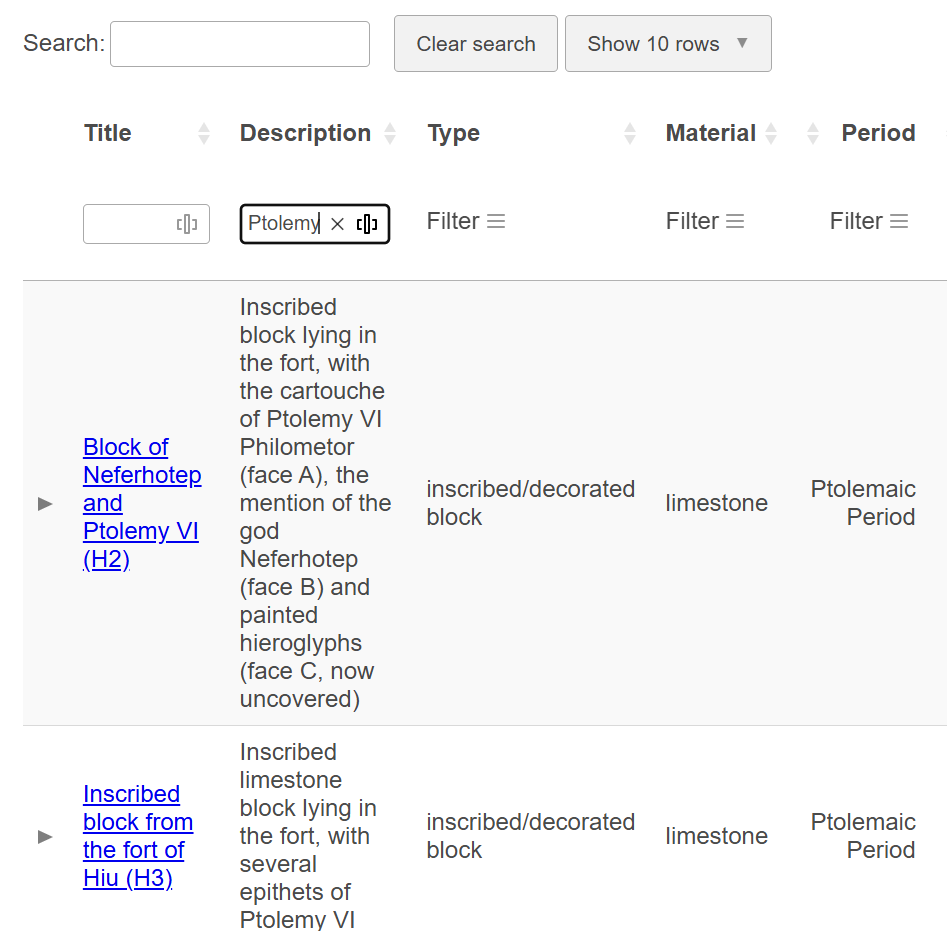
2. Is it also possible to add search highlight when using columnControl in a single column? For instance in the screenshot below, I have searched for "Ptolemy" in the second column, and it is not highlighted.
Replies
Hi,
Here is a little example of search highlighting using Mark.js and the plug-in for DataTables:
That plug-in doesn't yet work with ColumnControl's search I'm afraid. That is something that I will need to take a look at adding. It will work for the global filter, and if you were to use
column().search()for the columns, but not ColumnControl, since it uses a function (to be able to provide the logic basic search operations).Allan
I tried using
mark.jsin the second example: https://live.datatables.net/vosalupi/2/editThe problem is still the same: I manage to highlight the text result in the toggling row only when using version 2.3.4 of DataTables.
This is really the most important for me, to make it work with the global filter on the texts that can be toggled (texts may be rather long, unlike the other columns).
Version 2.3.4 is working:
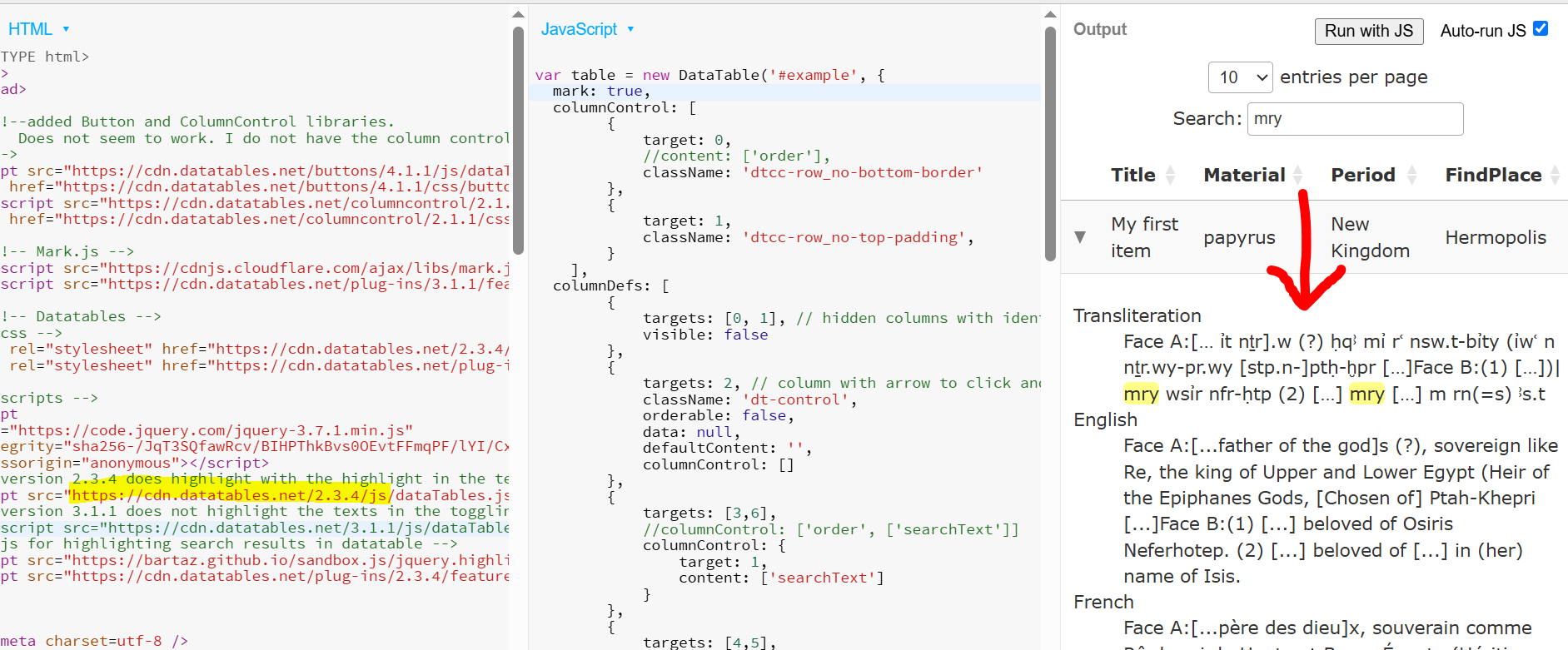
Edit: I think it is working because I forgot to comment out the javascript of searchHighlight, even though I removed it from the initialisation of the table. If I comment it out, it also stops working with version 2.3.4.
Version 3.1.1 is not highlighting the result:
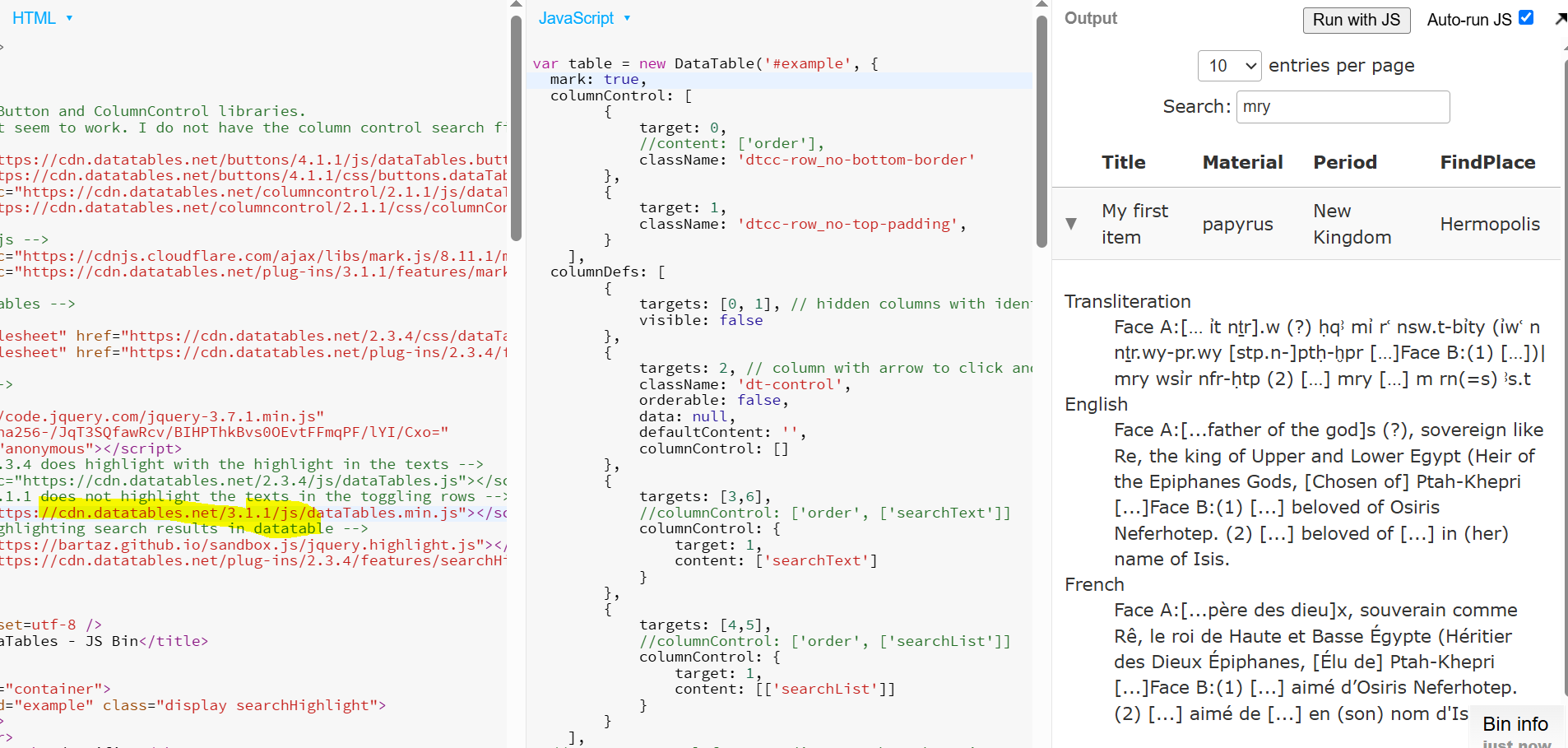
Looking at the Mark.js integration for DataTables, it doesn't include support for child rows at the moment I'm afraid. That is something that I'll add to the list as well!
Regarding your example - you have Buttons and ColumnControl loading before the DataTables core JS, which is why they weren't working. Here is an updated example.
Allan
Thank you @allan!
Let me know if I have missed something, but to summarize:
searchHighlightfor highlighting textsearchHighlightworks with DataTables 2.3.4, but not version 3 or highercolumnControlneeds version 3 or higher, it is not possible to highlight child rows AND use ColumnControl at the same timesearchHighlight- I just haven't rewritten the plugin for v3.Allan
I can't mark the question as answered, but this sums it all nicely