
Unable to find an exact date using FixedColumns component and calendar with data in DateTime format
Unable to find an exact date using FixedColumns component and calendar with data in DateTime format
 slolo
Posts: 154Questions: 29Answers: 2
slolo
Posts: 154Questions: 29Answers: 2
Link to test case: https://live.datatables.net/nilaciqu/1/edit
Debugger code (debug.datatables.net): NA
Error messages shown: NA
Description of problem: Hello,
Hello,
I'm having a small problem using the FixedColumns component with dates in ISO 8601 format.
In a test case, searching for a specific date doesn't work.
However, sorting is functional, and I can search for dates before or after. Only the exact date doesn't work.
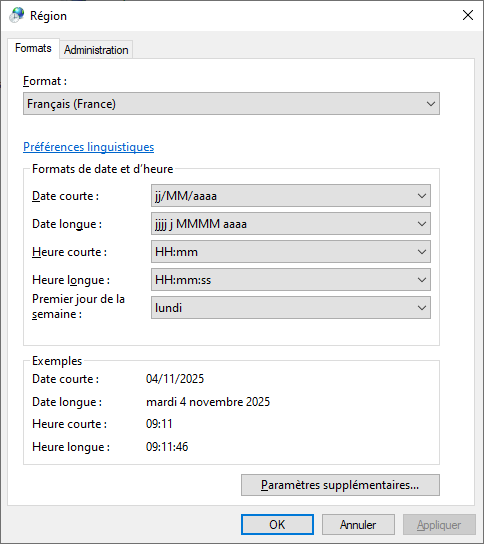
Just to clarify, my regional settings are in French.
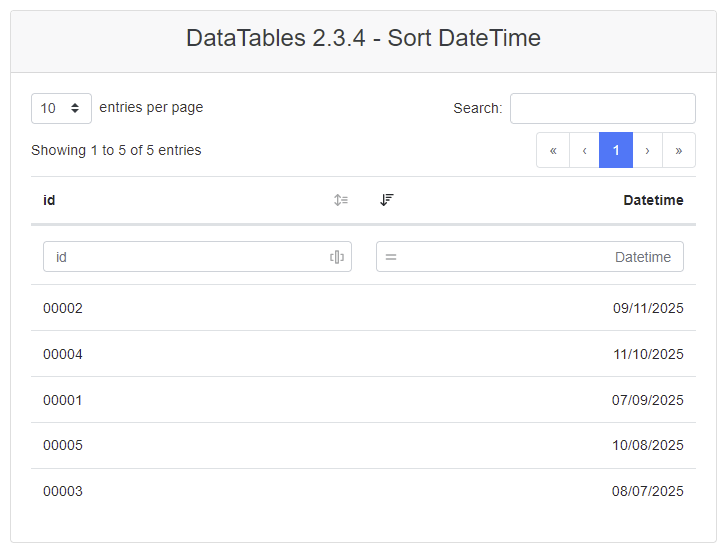
Ex. Sorting on date: OK
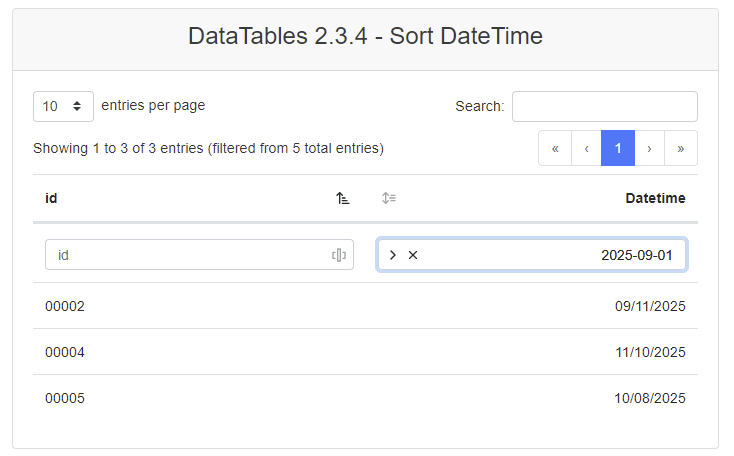
Ex. Filtering on a later date: OK
Ex. Filtering on a exact date: KO
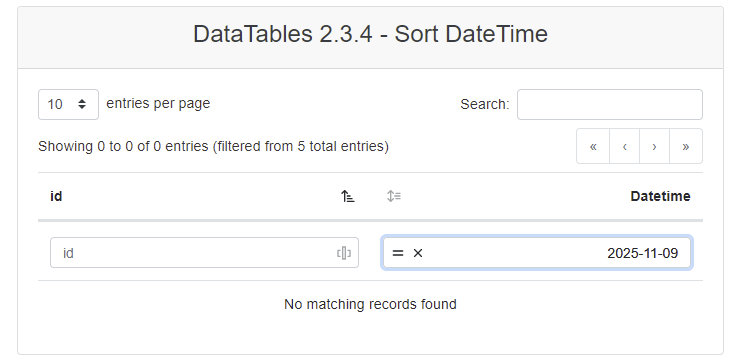
However, the date 2025-11-09 does exist in the table.
Just to clarify, I don't use Moment.js or Luxon.
Thanks in advance for your help and have a nice day.
Lolo
This question has an accepted answers - jump to answer
Answers
Take a look at this example of how to set ColumnControl to search only the date when both the date and time are supplied. Updated test case:
https://live.datatables.net/nilaciqu/2/edit
Kevin
Hello @kthorngren,
Thanks for your answer.
If I modify your test case with
mask: 'DD/MM/YYYY',instead ofmask: 'MM/DD/YYYY',(for French display), here is what I have:Really strange, isn't it?
See: https://live.datatables.net/nilaciqu/3/edit
maskshould be in ISO8601 format, as noted in the docs.That said, I suspect you are running afoul of a time zone error if you aren't in UTC yourself. I need to find some time to look into that more.
Allan
Hi @allan,
I have just done what @kthorngren told me
However, I can't get my test case to work. Are you using moments.js to make the search work?
And if I try to use "format" in the options, I get the following error message:
For information, here is my regional settings:
Sorry to bring up this old post. I'm still looking for a solution, actually.
As a reminder, I can't filter by a specific date.
Oddly enough, the "Before" and "After" filters work fine. Only the "Equal" and "Does not equal" filters don't work.
Before and After are OK:
But "Equal" and "Not equal" are KO:
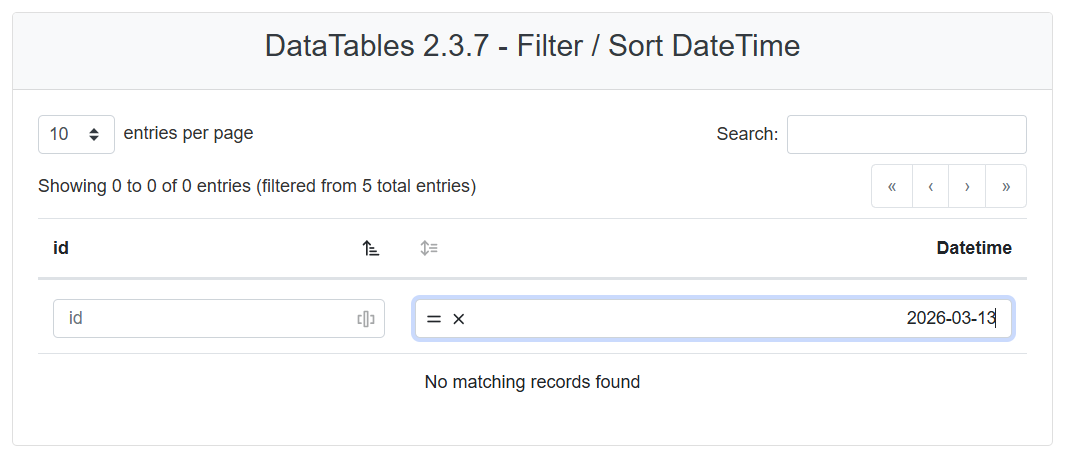
I have updated my test case with the latest versions of the DataTables component.
https://live.datatables.net/difuwoxi/1/edit
A quick reminder of my setup:
I'm running Windows 10 22H2
Chrome 145.0.7632.160
And the system dates are in French, as mentioned in the screenshots earlier in the post.
Any idea please?
Thanks in advance and have a nice day.
Hello,
I have done some videos in order to help you to see my problems.
Link to the test case I used to make videos:
https://live.datatables.net/yohejuyo/1/edit
Links for videos are available below:
**Problem with Luxon library:
**https://streamable.com/ck46r7
**Problem with date rendering and column control filter:
**https://streamable.com/une0dh
Could you please provide an example using the CommonControl component that works with dates in the format YYYY-MM-DD or yyyy-MM-ddTHH:mm:ssZ (internally) and displays them in the DataTable in the format DD/MM/YYYY?
Hello,
I have updated and simplified my test case with the last version of DataTables v2.3.8
cf. https://live.datatables.net/pugoxepa/1/
As you can see on the video, I am not able to find a specific date (I am on French Windows 10 22H2 and Google Chrome 147.0.7727.138 (Build officiel) (64 bits).
If I comment the line
render: DataTable.render.date()incolumnDefsdefinition, the date is displayed in English BUT the search works.You can see the behavior in video here: https://streamable.com/g7ttq4
Do you think I have to try to use MomentJS or Luxon libraries?
Thanks in advance for your help.
Hi,
Sorry for the delay in replying here. It looks like there are a few issues - the first is
type: 'date'- that should be removed and allow DataTables to auto detect the date type.However, even without that, there is an error as it isn't correctly detected the formatted date type. This is something I'm going to need to set a little bit of time aside at some point to debug I'm afraid. The test case is very useful for that - thank you. I'm not certain when I'll be able to debug it yet as I'm deep in the middle of some other changes at the moment, but I will try to do so as soon as I can.
Allan
Thank you so much @allan for your reply.
I'll wait for the fix, hoping it will be before the release of the next version, v3, of DataTables
While waiting for a fix for dates in French, is there an alternative date format that would still allow me to make the ColumnControl component filters work with dates?
Otherwise, I've updated the link to the video that demonstrates the bug (because the previous one has expired).
Available here https://gofile.io/d/wYHtLh
Been digging into this more and understanding the issue better now - apologies it has taken me so long to do so.
The issue is that
DataTable.render.date()will return the locale formatted date for both thedisplayand thefilterorthogonal data types. The reason it does it forfilteris to allow end users to type the date that is shown in the table into the global search box.However, that means that it is not an ISO8601 formatted date that is being checked for by ColumnControl. It is expecting an ISO8601 date, and thus the reason it is failing to match the dates.
There are a bunch of options to address this:
date()renderer could return ISO8601 formatted dates for thefilterdata type, but then the end user couldn't just type what they see..render.date()is that it uses the user's locale.Allan
While reading the code I've realised that I've half thought of this already. Include Moment or Luxon on your page and it will start working immediately. The format from the display date is automatically detected and will be translated. While it perhaps isn't the most efficient, method, it should work without any other changes (it does in my local test).
I'm now considering if I should put a trap in to catch this with a warning, or if there is a ready way to use the original data still.
Allan
I went around the houses with this a little bit, but I eventually settled on this commit.
The part I don't like is that the date picker will be in ISO8601 while the table is shown as a locale format, but the date picker doesn't work with anything other than ISO8601 without Moment or Luxon.
Despite this now working, I'd suggest you do load one of those two.
Allan
Hello @allan,
Thanks a lot for having a look to this issue.
What is the way to test it from live.datatables.net?
I tried to update my test case, but without success.
I don't know if your latest commit is included in the nightly build.
You can have a look to it here: https://live.datatables.net/yorizutu/1/edit
By the way, what is the right way to add Bootstrap 4 in my test case for calendar?
I made a video to observe the current behavior:
https://we.tl/t-Ck1uFK5yvCNXakTU
Furthermore, is it normal that only version 3.2.7 of DataTables is available for testing?
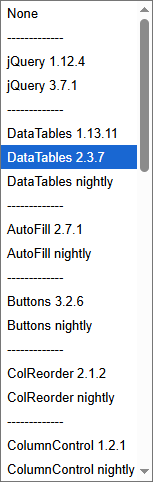
Yeah, that can be tricky, particularly with the caching of the JS files. I normally add a query parameter at the end of the file, such as the date, to make sure I get the latest file.
The issue with your current example is that it was still setting
type: 'date'which is causing issues. Let it auto detect the format and it will work:The other option is to include Moment as I mentioned.
The DateTime extension is unique in the DataTables extensions in that it doesn't have per styling library options. It is just a single file to include:
I need to update the list to use 3.2.8 which is the current release. Any other version can be added by replacing the HTML though.
Allan
Hello @allan,
Thanks a lot for your answer.
I updated my test case, and it seems to work very well with the "nightly" version.
I had to add moment.js to my test case to get everything working correctly; otherwise, columnControl failed to filter properly when I selected a date.
https://live.datatables.net/yafikire/1/edit
Can you confirm that my test set follows best practices?
The only thing that bothers me is having to add
{type : "date"}as a comment.Is there a particular reason for that?
Can I leave the column initialization but with
{type : null}?Is there a release date for the patch?
In any case, thank you very much for the time spent analyzing the situation and replying to us.
The key is really to just let DataTables type detection run. My advice is to not set the
typeoption. If you have to set it, then the type detection has gone wrong and overriding it will just move the problem somewhere else. I'd suggest removing any manual setting ofcolumns.type.Hoping to release the changes in a couple of weeks.
Allan
Even if
"type" : null?I have to admit it would be convenient for me to be able to keep the nullable typing, because I currently have a rather complex generic mechanism for initializing DataTables, and I wouldn't want to break it by creating an overly convoluted mess just to handle this specific scenario.
I had hoped for a quicker resolution, but I'll wait. The fix will indeed be included in versions 2 and 3 of DataTables.
You can use
nullif it makes it easier for you to give it some kind of value.nullis the default and will trigger DataTables' automatic type detection.At the moment the fix resides only in the v3 compatible code for ColumnControl (i.e. ColumnControl 2). If I have time I'll backport it.
Allan
It would be really great if the latest version (v2) of the ColumnControl component handled dates reliably (i.e., was stable).
Unless, of course, version 2 is being phased out in favor of version 3.
But that’s a risky move. Version 2 is mature, whereas we’re almost certain to run into a few issues with the new v3 (which would be perfectly normal at first).
Completely agree. I'd very much like to backport this and other fixes, then release them, but it takes time, and at the moment I'm acutely aware that DataTables 3 is ready to go, but the documentation and website are not, and that is holding everything up and I'm getting very frustrated.
Allan