
Clear Filter button stopped in 3.0
Clear Filter button stopped in 3.0
 sachiel
Posts: 10Questions: 2Answers: 0
sachiel
Posts: 10Questions: 2Answers: 0
Simple button at the top of the form. Clears the input box filters, clears the inputs at the bottom of the columns and does a draw() on an empty search on all columns. Was working find in 2.x. Turned off all save/load state. neither jquery nor js work. Don't know how this doesn't work anymore.
buttons: [{
        text: '<span class="fa-layers fa-fw"><i class="fa fa-ban"></i><i class="fa fa-filter" data-fa-transform="shrink-7"></i></span> Clear Filter',
        action: function(e, dt, node, config) {
            // Clear Filter Button
            $('#dogs tfoot th').find('input,select').val('');
            $('input.flt:checkbox').prop('checked', false).parent().removeClass('active');
            $('input.flt:text,select.flt,input.flt:hidden').val('').data('null', '');
            $('.fltcol').addClass('d-none');
            //$('#dogs').DataTable().columns().search('').draw();
            this.columns().search('').draw();
            window.history.pushState({}, document.title, "<?= $us_url_root ?>index.php?view=dogs");
        }
    }
This question has accepted answers - jump to:
Answers
What exactly isn't working? Can you provide a test case replicating the issue so we can help debug?
https://datatables.net/manual/core/tech-notes/10#How-to-provide-a-test-case
Kevin
I think you are running into the change in how multi-column filtering works. See this part of the upgrade note for more details, but basically
columns().search()will now group a search over the selected columns, rather than applying the same search to each column.So in your case, you were using
this.columns().search('')to apply an empty search to each individual column. However, in 3+ that will apply an empty search to the set of all columns.Use this instead:
I believe that will resolve the issue.
Allan
It's still not clearing out the search. Implemented the following, and the commented out one as well. Tried search() and search ('') on the every loop also. I am stuck. :
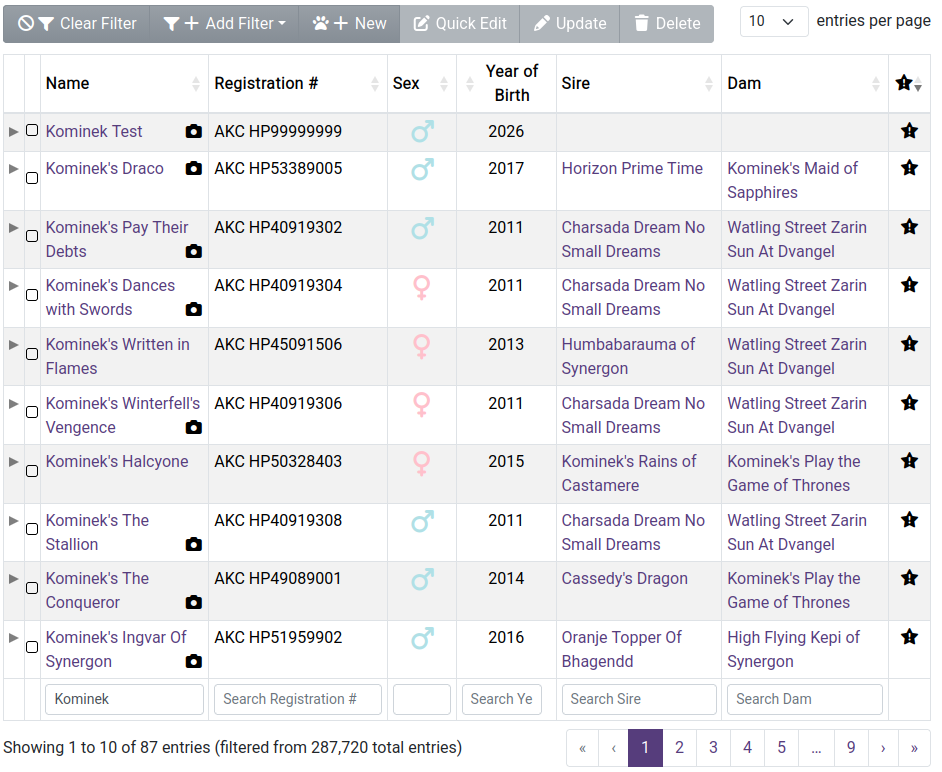
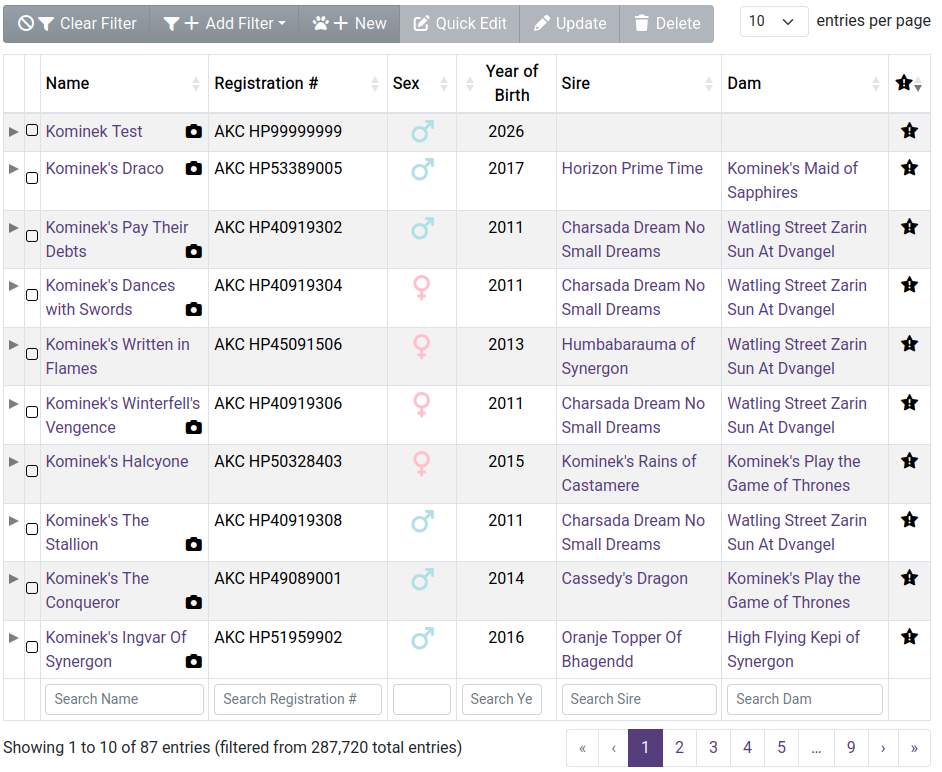
So the filter clearing code works fine. I can add filters, have it filter, and clear the filter and the records reset. Disappears my inputs, clears the values and de-filters the query. The column search clearing still doesn't reset. I have to full reload the page to get back to 28k pages. Here's what it looks like on my end:
Reloaded, unfiltered:
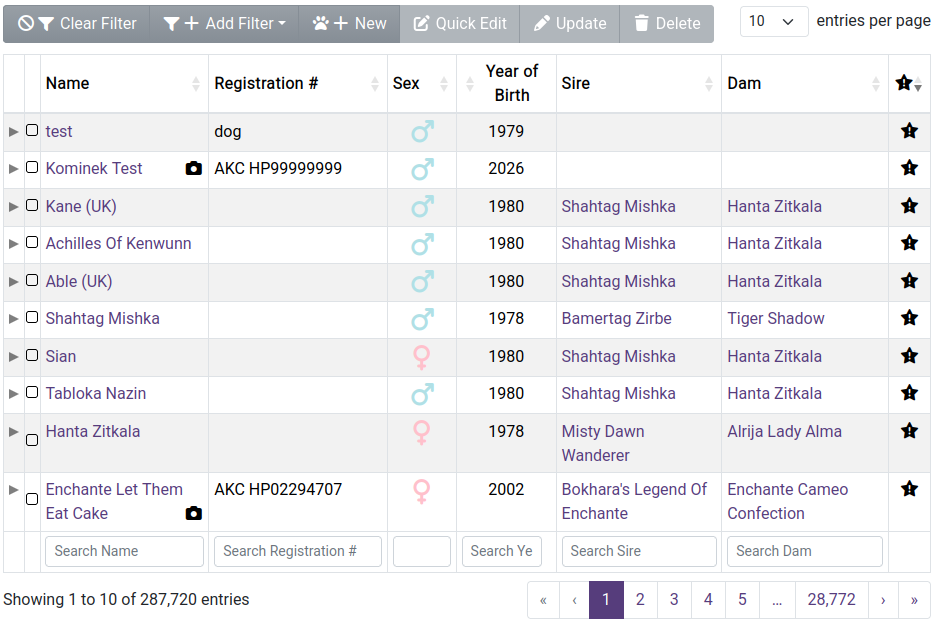
Column search applied:
Clear Filters clicked, footer inputs cleared, still having column.search() applied from the search.:
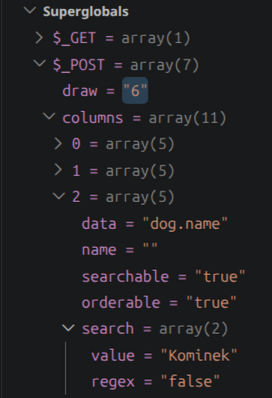
I have most of the stateSaveParam and stateLoadParam turned off for testing:
If there's a better way to reset the search on a column than setting search('') or search() on it and I'm doing it dumb, let me know. I can put "Kominek" in the column search, have it filter correctly. Hit "Clear Filter" and it will still be searching on "Kominek." I can put something else in the input, like " " and it will filter on space. If I then delete the space, it will "reset" the filter to no search. I don't understand why setting it in code is not working.
The _POST on my endpoint still contains the search term even after the Clear Filter button is clicked.
The arrow function doesn't seem to work but using the syntax Allan posted does. See this example:
https://live.datatables.net/yevawera/1/edit
Note that using an empty search term, ie,
this.search();doesn't seem to work but using an empty string does.Kevin
this.search();will get the current search term. So:is basically a no-op.
You need to clear the search by passing in the empty string like in my example. In this case:
Or better would be the exact code I suggested, since then it doesn't need to look up the DOM for the
#dogselement.Allan
Cheers! Kevin was right: the arrow function wasn't working (because of course). Also, the empty string has to be passed into search(''). This probably stems from my ignorance with javascript and still having to use jquery 3.7.1 for another package. Final code that works:
Thank you again for your time with this, and I hope it can help some other hack besides myself banging their head on the wall.
I should have spotted that as well in the code I copy / pasted above. Yup, the arrow function won't set the right scope, so you need the
function()like in my original suggestion.Good to hear you've got it working now, and sorry to had to run over that breaking change in the v3 API. I did think long and hard about it, but it was for the best!
Allan