≡

trouble reading in a saved state from a database

trouble reading in a saved state from a database

Mwhite007Mwhite007 Posts: 36Questions: 8Answers: 0

I am able to save a new state into the MS SQL database, but i get an json format error when reading it back in. the dump of the data returned looks like
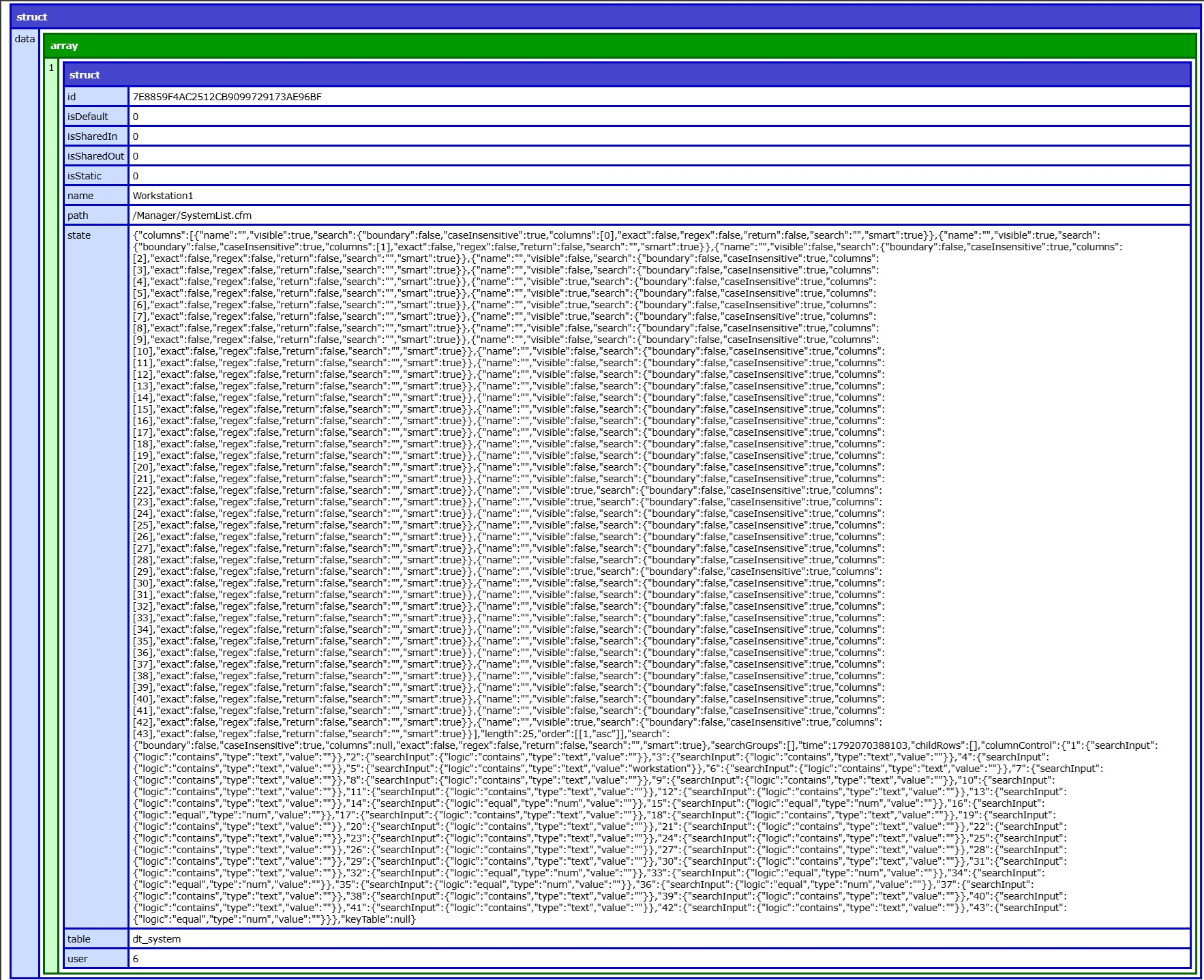
I am not sure of the exact format the data needs to be in for stateRestore to use

This question has an accepted answers - jump to answer

Answers

  • allanallan Posts: 66,088Questions: 1Answers: 11,012 Site admin

    That looks about right - for example (note my example here has state as a JSON string, but just plain JSON is fine as well):

    {
      "data": [
        {
          "id": "1",
          "isDefault": "0",
          "isSharedIn": false,
          "isSharedOut": "0",
          "isStatic": false,
          "name": "Ordered by Position",
          "state": "{\"columns\":[{\"name\":\"\",\"visible\":true,\"search\":{\"boundary\":false,\"caseInsensitive\":true,\"columns\":[0],\"exact\":false,\"regex\":false,\"return\":false,\"search\":\"\",\"smart\":true}},{\"name\":\"\",\"visible\":true,\"search\":{\"boundary\":false,\"caseInsensitive\":true,\"columns\":[1],\"exact\":false,\"regex\":false,\"return\":false,\"search\":\"\",\"smart\":true}},{\"name\":\"\",\"visible\":true,\"search\":{\"boundary\":false,\"caseInsensitive\":true,\"columns\":[2],\"exact\":false,\"regex\":false,\"return\":false,\"search\":\"\",\"smart\":true}},{\"name\":\"\",\"visible\":true,\"search\":{\"boundary\":false,\"caseInsensitive\":true,\"columns\":[3],\"exact\":false,\"regex\":false,\"return\":false,\"search\":\"\",\"smart\":true}},{\"name\":\"\",\"visible\":true,\"search\":{\"boundary\":false,\"caseInsensitive\":true,\"columns\":[4],\"exact\":false,\"regex\":false,\"return\":false,\"search\":\"\",\"smart\":true}},{\"name\":\"\",\"visible\":true,\"search\":{\"boundary\":false,\"caseInsensitive\":true,\"columns\":[5],\"exact\":false,\"regex\":false,\"return\":false,\"search\":\"\",\"smart\":true}}],\"length\":10,\"order\":[[1,\"asc\"]],\"search\":{\"boundary\":false,\"caseInsensitive\":true,\"columns\":[0,1,2,3,4,5],\"exact\":false,\"regex\":false,\"return\":false,\"search\":\"\",\"smart\":true},\"searchGroups\":[],\"time\":1792080297856,\"childRows\":[]}"
        }
      ]
    }
    

    but i get an json format error

    What is the exact error please? Also can you use your browser's developer tools to get the raw response from the server and show me what that is?

    Thanks,
    Allan

  • Mwhite007Mwhite007 Posts: 36Questions: 8Answers: 0

    there is nothing returned in developer tools except the dump i showed you. the processing stops at my processing page with this popup:
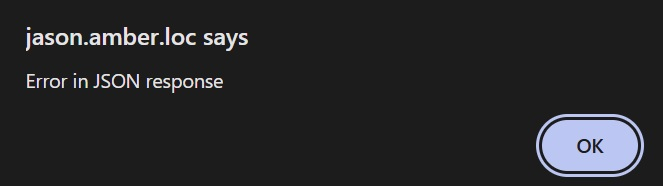
    when I press ok, it continues the page. can't find anything that pinpoints where in the json response it fails... I created a new saved state so now i have two in the array. it seems that it immediately tries to load the saved states but fails with the same "Error in JSON response"

  • allanallan Posts: 66,088Questions: 1Answers: 11,012 Site admin

    Are you able to PM me a link to the page to I can take a look?

    One possibility is that the response includes a UTF8 BOM which are hidden characters to define the character set. That can cause invalid JSON.

    Allan

  • Mwhite007Mwhite007 Posts: 36Questions: 8Answers: 0

    i tried forcing UTF-8 but it didn't seem to make any difference. i don't see how i can set up a demo because it's a ColdFusion server. i haven't uploaded the code to production yet and that server is locked down anyway.

  • allanallan Posts: 66,088Questions: 1Answers: 11,012 Site admin

    This is the code in DataTables that is triggering the error message to be shown:

            // Return data type handling
            if (options.dataType === 'json') {
                try {
                    responseData = JSON.parse(responseData);
                } catch (e) {
                    statusText = 'parsererror';
                }
            }
    

    If you put a breakpoint on that if condition, and then when it hits it, you could inspect responseData and see what that is. It should be a JSON string.

    Possibly another option, in the Chrome network inspector, view the "Response" tab for that Ajax request - it might show what is causing it to not be valid JSON (Firefox has a similar option).

    Allan

  • kthorngrenkthorngren Posts: 22,509Questions: 26Answers: 5,172
    edited October 15

    I'm not sure what tool is displaying your first screenshot. Don't know the browser you are using but in Chrome, for example, you can view the raw response Under Developer Tools > Network > Response. You can paste the raw response to a site like https://jsonlint.com/ to validate the JSON response. Or you can paste it here or PM Allan with the raw data. If the Response tab is empty then it would seem the JSON data is not being populated into the response at the server.

    Kevin

  • Mwhite007Mwhite007 Posts: 36Questions: 8Answers: 0

    the screenshots provided were from the Brave browser developer tool network pane, preview tab. there was actually nothing in the pane so i had to put a "CFDUMP" command to show the FORM and results data.
    here is the DataTable section in the javascript file for stateRestore:

        // ** StateRestore v2: remember the table settings *** 
        stateRestore: {
          ajax: {
            url: '/Manager/StateProcess.cfm',
            data: {
              user: user // from a form field on the html page
            }
          },
        },
    

    in the StateProcess.cfm file I put a basic switch statement to handle the read and create function:

      switch (FORM.action) {
        case "state-read":
          // read saved state into table
          dataReturn = invoke("components.utility2","readStates", {
            path = FORM.path,
            table = FORM.table,
            user = FORM.user 
            //returnFormat = "JSON"
          });
          // data = ( serializeJSON ( data ));
          // writeOutput ( serializeJSON ( data ));
          // writeDump ( #dataReturn# );
          break;
        case "state-create":
          // create new saved state
          variables.uniqueID = createUUID();
          FORM.id = replace(variables.uniqueID, "-", "", "all");
          writeOutput ( #FORM.id# );
          dataReturn = invoke("components.utility2","createState", {
            id = FORM.id,
            isDefault = FORM.isDefault,
            isSharedOut = FORM.isSharedOut,
            name = FORM.name,
            path = FORM.path,
            state = FORM.state,
            table = FORM.table,
            user = FORM.user
          });
          break;
        case "state-edit":
          // edit saved state  
          dataReturn = invoke("components.utility2","editState", {
            id = FORM.id,
            isDefault = FORM.isDefault,
            isSharedOut = FORM.isSharedOut,
            name = FORM.name,
            path = FORM.path,
            state = FORM.state,
            table = FORM.table,
            user = FORM.user
          });
          break;
        case "state-remove":
          // remove saved state from table
          break;
        default:
          // default code if no case matches
          break;
      }
    

    you can see that it calls the readStates function in utility2 file:

    <!--- READ all State Records for page-Table-user --->
    <cffunction 
      name="readStates" 
      access="remote" 
      output="false" 
      returntype="any" > 
      <cfargument 
        name="user" 
        type="numeric" 
        required="true">
      <cfargument 
        name="table" 
        type="string" 
        required="true">
      <cfargument 
        name="path" 
        type="string" 
        required="true">
    
      <cfset var qryReadStates = "">
    
      <cfquery name="qryReadStates" result="SESSION.qStateRead" >
        SELECT 
          "eid",
          "id",
          "isDefault",
          "isSharedOut",
          "name",
          "dt_path",
          "dt_state",
          "dt_table"
        FROM 
          "states"
        WHERE
          "dt_path" = <cfqueryparam cfsqltype="varchar" maxlength="50" value="#Arguments.path#"> and 
          "dt_table" = <cfqueryparam cfsqltype="varchar" maxlength="50" value="#Arguments.table#"> and
          "eid" = <cfqueryparam cfsqltype="integer" value="#Arguments.user#">
      </cfquery>
    
      <!--- Array for the States Table --->
      <cfset stateArray = arrayNew(1)>
    
      <cfloop query = "qryReadStates">
        <cfset stateStruct = {}> <!--- Struct for each row --->
        <cfset stateStruct["user"] = qryReadStates.eid>
        <cfset stateStruct["id"] = qryReadStates.id>
        <cfset stateStruct["isDefault"] = qryReadStates.isDefault>
        <cfset stateStruct["isSharedIn"] = 0>
        <cfset stateStruct["isSharedOut"] = qryReadStates.isSharedOut>
        <cfset stateStruct["isStatic"] = 0>
        <cfset stateStruct["name"] = qryReadStates.name>
        <cfset stateStruct["path"] = qryReadStates.dt_path>
        <cfset stateStruct["table"] = qryReadStates.dt_table>
        <cfset stateStruct["state"] = qryReadStates.dt_state>
        <cfset arrayAppend(stateArray, stateStruct)>
      </cfloop>
    
      <cfset session.arrayStates = stateArray>
    
      <cfset returnStruct = {}>
      <cfset returnStruct['data'] = stateArray>
    
      <cfreturn returnStruct>
    
    </cffunction>
    
  • allanallan Posts: 66,088Questions: 1Answers: 11,012 Site admin

    I'm strongly suspecting that there is a UTF-8 BOM at the start of the response from the server, which would result in the response being invalid JSON.

    Were you able to put a breakpoint at the point in the code that I noted above? If you do that, what does:

    responseData.charCodeAt(0);
    responseData.charCodeAt(1);
    responseData.charCodeAt(2);
    responseData.charCodeAt(3);
    responseData.charCodeAt(4);
    

    show in the browser's console? (Note you'll need to be loading the non-min code in order to be able to easily find that second of the code!).

    Allan

  • Mwhite007Mwhite007 Posts: 36Questions: 8Answers: 0

    when i put a breakpoint at line 84070 if statement, the responseData is the html page, not the result of the call:

    responseData
    :
    "\r\n\r\n<html>\r\n<head>\r\n\t<title>DataTables StateRestore Process page</title>\r\n</head>\r\n\r\n<body>\r\n\r\n\r\n\r\n\r\n\r\n\r\n\r\n\r\n</body>\r\n\r\n</html>\r\n\r\n"
    
  • Mwhite007Mwhite007 Posts: 36Questions: 8Answers: 0

    ok, i think i got it... the StateProcess.cfm page needed to only output the json data. i removed all the html on that page and added:

          dataReturn = invoke("components.utility2","readStates", {
            path = FORM.path,
            table = FORM.table,
            user = FORM.user, 
            returnFormat = "JSON"
          });
          jsonData = ( serializeJSON ( dataReturn ));
          writeOutput ( jsonData );
    

    so now when the stateRestore calls StateProcess.cfm page with state-read the only content is the json string

  • allanallan Posts: 66,088Questions: 1Answers: 11,012 Site admin
    Answer ✓

    Ah! The end point was mixing the HTML and the JSON - yup, that would do it. Great to hear you found and resolved the problem :).

    I haven't played around with Brave much - I'm going to have a look at its JSON viewer now, it could be useful!

    Allan

Sign In or Register to comment.