Editor datetime input is malformed

Editor datetime input is malformed

harkirat.singhharkirat.singh Posts: 14Questions: 1Answers: 0

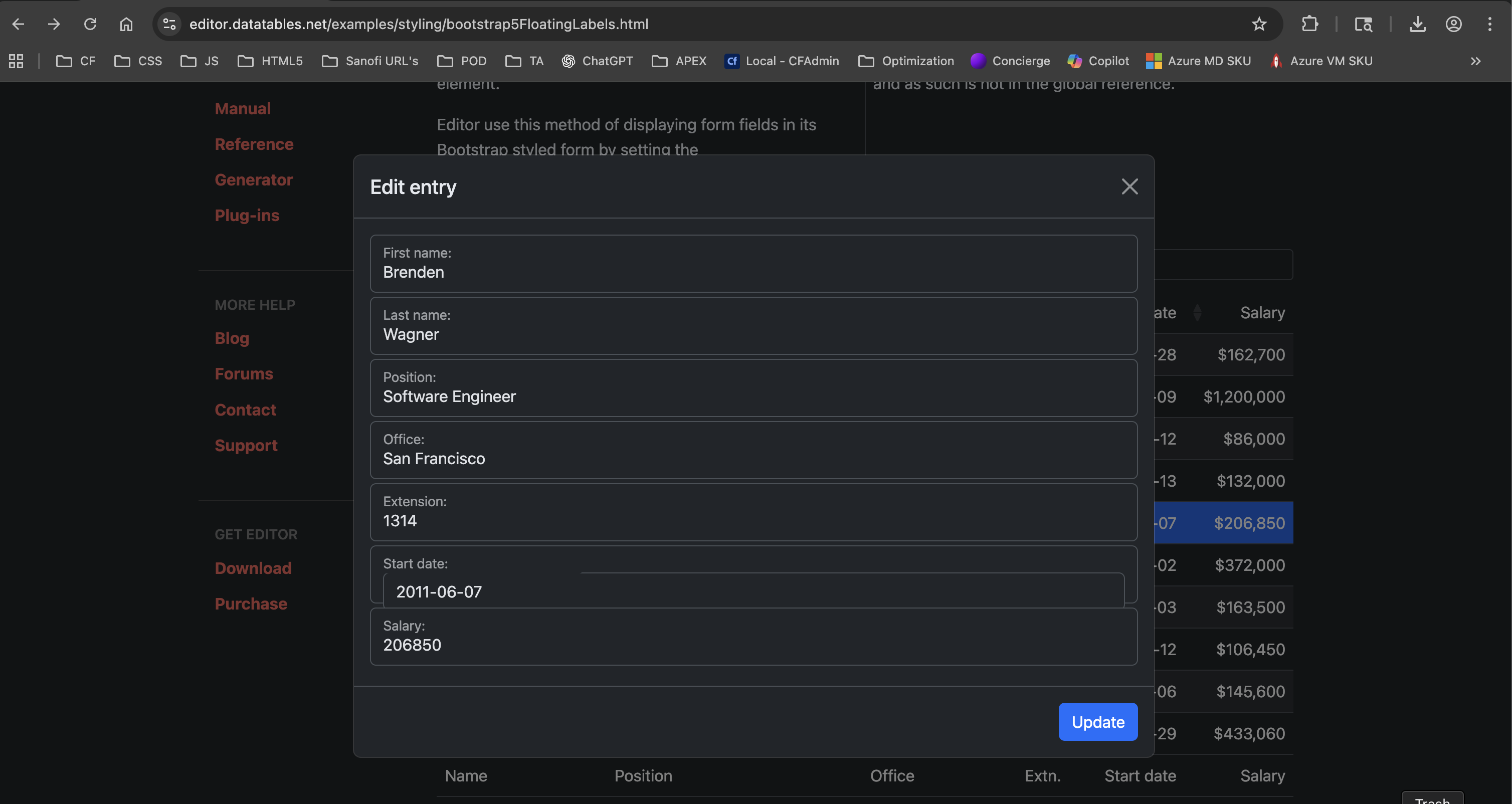
The date input for the editor with bootstrap5 styling and floating labels is malformed. It has two overlapping input boxes.
You can see it at the example itself
Replies

  • allanallan Posts: 65,397Questions: 1Answers: 10,858 Site admin

    Agreed - thanks for letting me know. I'll take a look into it.

    Allan

  • harkirat.singhharkirat.singh Posts: 14Questions: 1Answers: 0

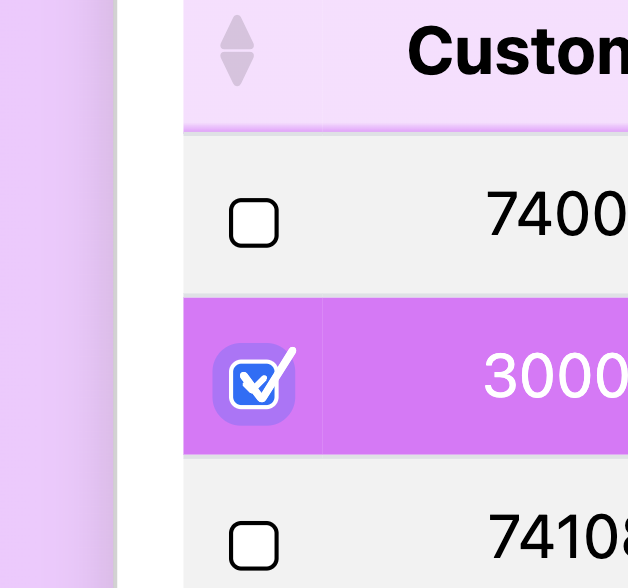
    While you are looking at it you might also want to look into datatables editor checkboxes with Bootstrap styling as it also has a overlap with two checkmarks showing, one from BS and one from DT.
  • allanallan Posts: 65,397Questions: 1Answers: 10,858 Site admin

    I'm not seeing that in this example (select the Bootstrap 5 styling from the top right).

    Can you link to a page showing the issue please?

    Allan

  • harkirat.singhharkirat.singh Posts: 14Questions: 1Answers: 0

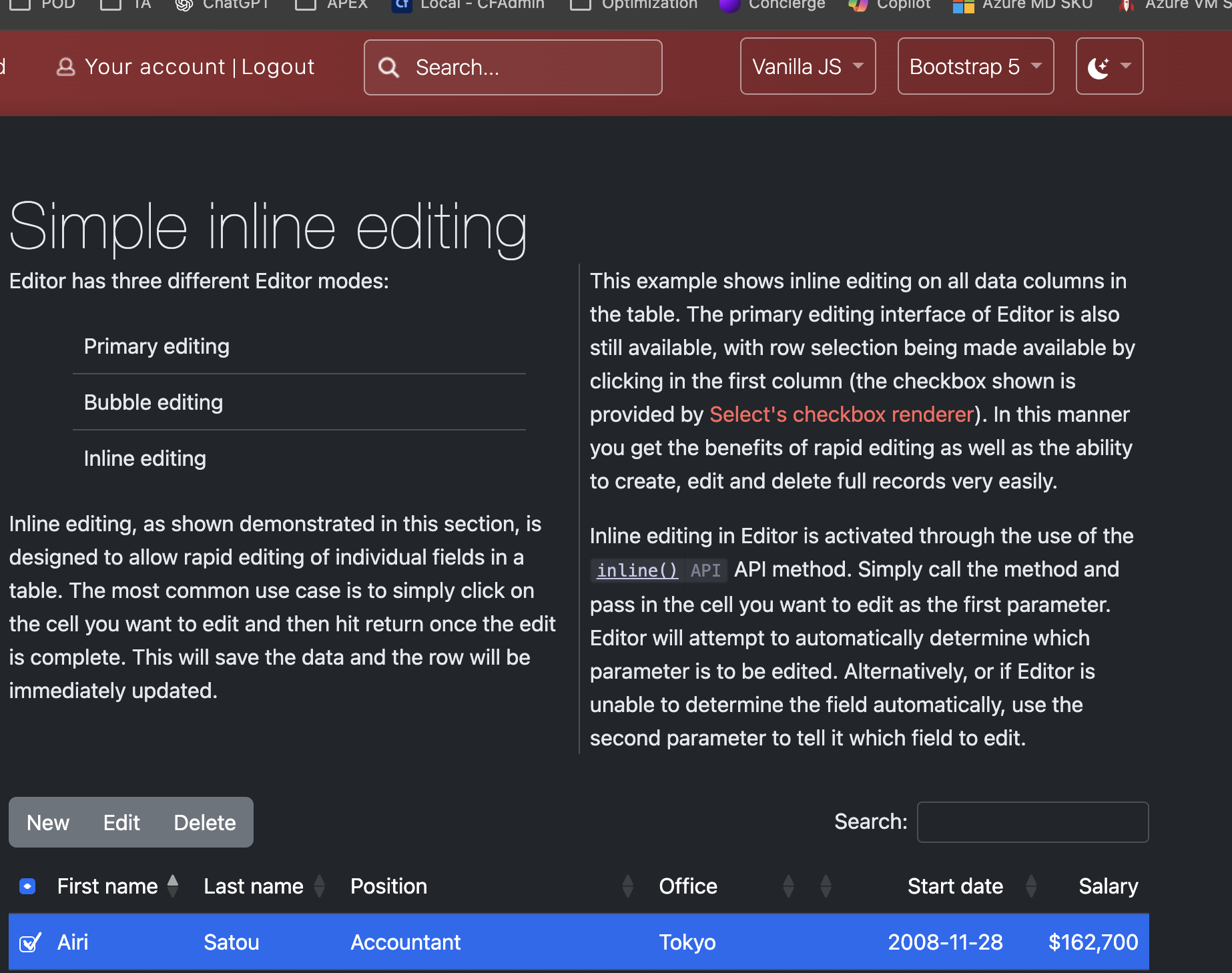
    You can see it in the example too when you select Bootstrap styling, the double checkmarks are there
  • allanallan Posts: 65,397Questions: 1Answers: 10,858 Site admin

    I'm not seeing that in either Firefox or Chrome:

    What browser, version and OS are you using please?

    Allan

  • harkirat.singhharkirat.singh Posts: 14Questions: 1Answers: 0

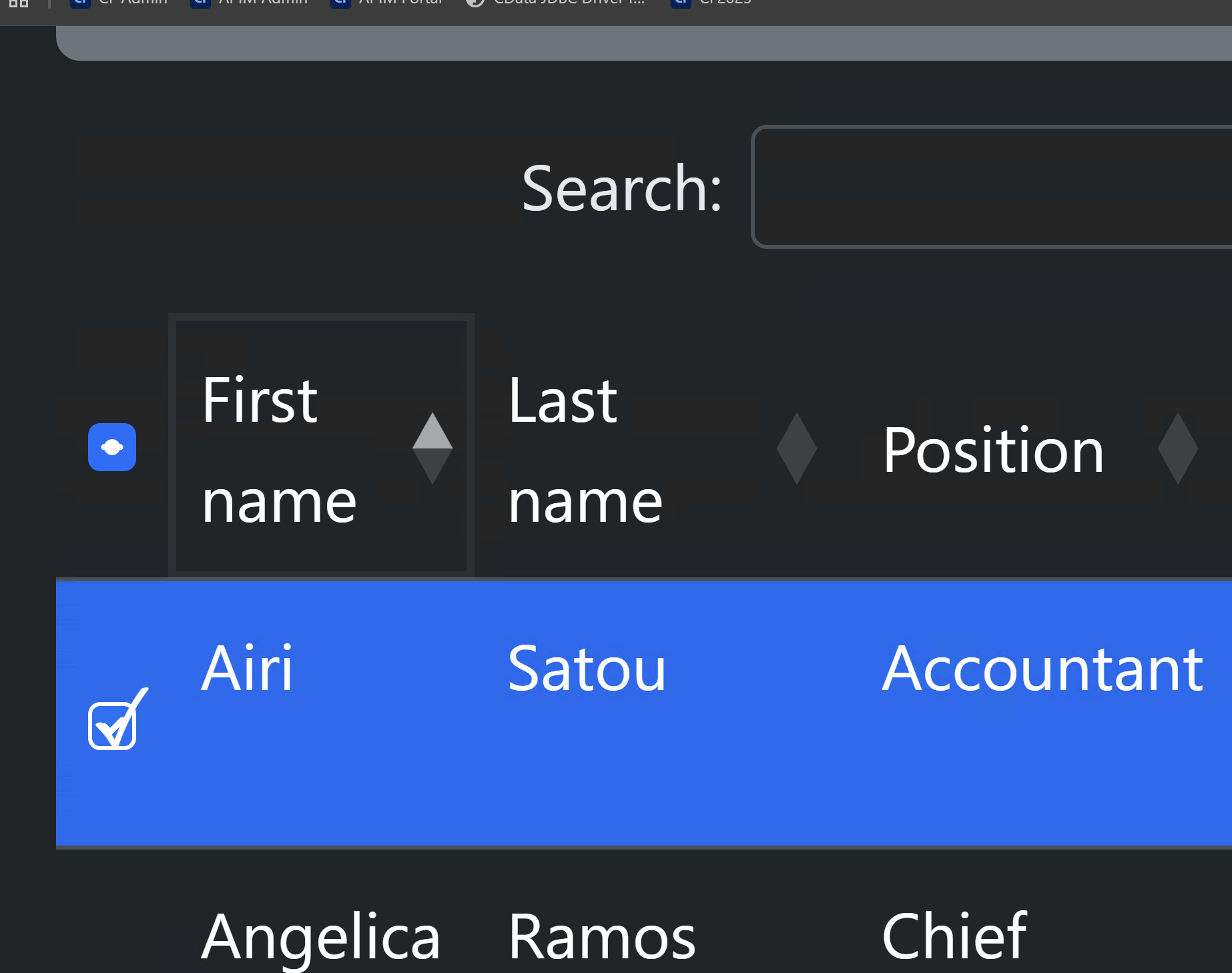
    Thats strange. I am using Mac OS Sequoia 15.6.1 with Chrome 140.0.7339.214. I also tried on Windows machine (Windows Server 2019) on Chrome 141.0.7390.56 with same result (see attached)
  • harkirat.singhharkirat.singh Posts: 14Questions: 1Answers: 0

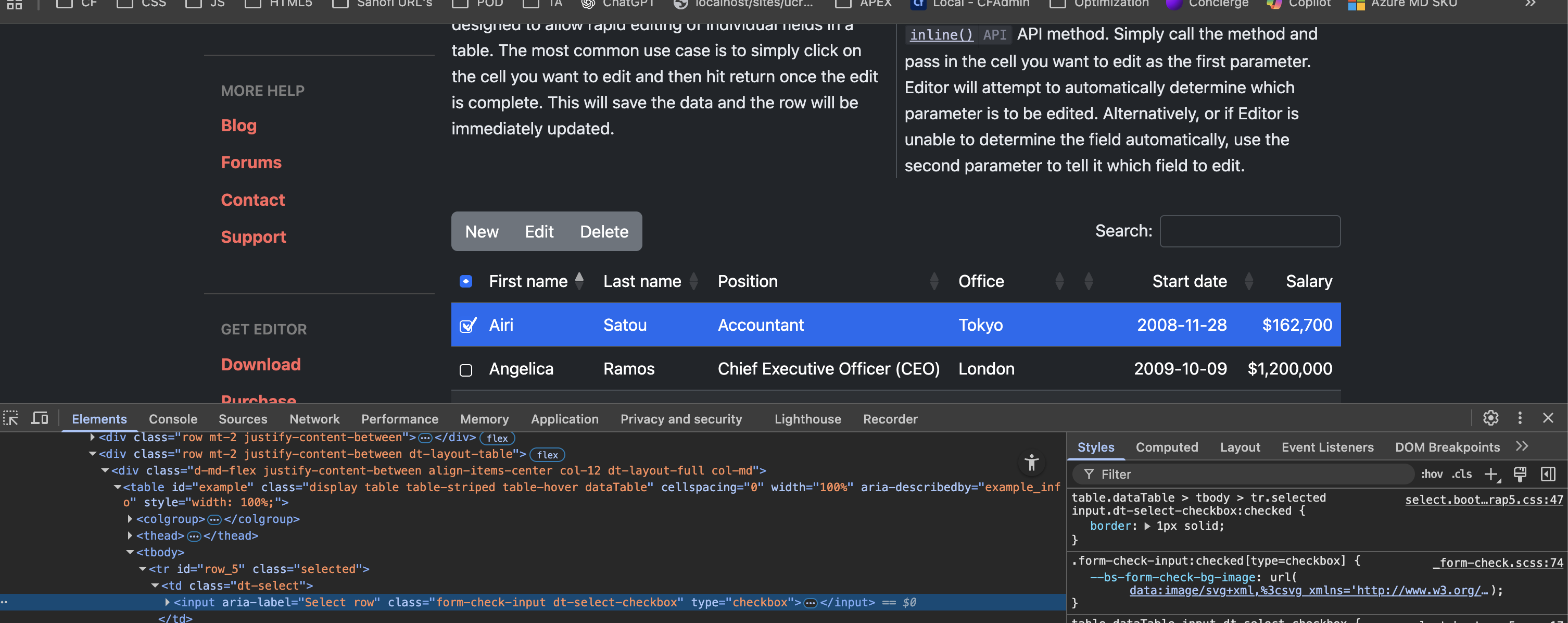
    The issue is the BS class 'form-check-input' that is inserting its own checkmark image. See attached.
  • allanallan Posts: 65,397Questions: 1Answers: 10,858 Site admin

    I think I've got it. I am seeing it in the example, but only when I zoom to 400% - I can just see a small outline of the secondary tick. The fonts on my machine must just be overlapping them, while for you it is more obvious.

    The good news is that this has already been fixed in Select 3.1.1 with this commit. Select 3.1.2 is the current release of Select, I just haven't yet rebuilt and redeployed the Editor site since that release! I'll get that done tomorrow hopefully.

    In your own use case, update to Select 3.1.2 and the problem should be resolved.

    Allan

  • harkirat.singhharkirat.singh Posts: 14Questions: 1Answers: 0

    Upgrading to Select 3.1.3 solved the checkbox issue thanks. Just the datetime overlap remains now. Will wait for your Editor update.

  • allanallan Posts: 65,397Questions: 1Answers: 10,858 Site admin

    Awesome - thanks for letting me know.

    Allan

  • harkirat.singhharkirat.singh Posts: 14Questions: 1Answers: 0

    Hi Alan,
    Any timeline on when the overlapping label for bootstrap style date inputs will be fixed as seen in this example ?

    Harkirat

  • harkirat.singhharkirat.singh Posts: 14Questions: 1Answers: 0
    edited November 21

    Hi @allan ,
    Any updates on this issue of the overlapping label for bootstrap style date inputs and when it will be addressed?

    Harkirat

  • allanallan Posts: 65,397Questions: 1Answers: 10,858 Site admin

    Hi Harkirat,

    I'm afraid I don't yet have an estimated fix time for that. I will try to look into it next week.

    Allan

  • allanallan Posts: 65,397Questions: 1Answers: 10,858 Site admin

    I've just committed a fix for this issue and it will be in the next release. In the meantime, if you want to apply the patch locally, in editor.bootstrap5.js find:

                fields
                    .filter(function (f) {
                        var type = dte.field(f).s.opts.type;
    
                        return floating_label_types.includes(type);
                    })
                    .forEach(function (f) {
                        var node = $(dte.field(f).node());
                        var wrapper = node.find('.DTE_Field_InputControl');
                        var control = wrapper.children(':first-child');
                        var label = node.find('label');
    
                        wrapper.parent().removeClass('col-lg-8').addClass('col-lg-12');
                        wrapper.addClass('form-floating');
                        control.addClass('form-control').attr('placeholder', f);
                        label.appendTo(wrapper);
                    });
    

    And replace with:

                fields
                    .filter(function (f) {
                        var type = dte.field(f).s.opts.type;
    
                        return floating_label_types.includes(type);
                    })
                    .forEach(function (f) {
                        var node = $(dte.field(f).node());
                        var wrapper = node.find('.DTE_Field_InputControl');
    
                        if (dte.field(f).s.opts.type === 'datetime') {
                            wrapper.find('input').prependTo(wrapper);
                        }
    
                        var control = wrapper.children(':first-child');
                        var label = node.find('label');
    
                        wrapper.parent().removeClass('col-lg-8').addClass('col-lg-12');
                        wrapper.addClass('form-floating');
                        control.addClass('form-control').attr('placeholder', f);
                        label.appendTo(wrapper);
                    });
    

    Clear you cache / rebuild / etc and that should do it :).

    Thanks again for letting me know about this error.

    Allan

  • harkirat.singhharkirat.singh Posts: 14Questions: 1Answers: 0

    Thank you that works :)

Sign In or Register to comment.