
Table width issue
Table width issue
 mkmr
Posts: 2Questions: 1Answers: 0
mkmr
Posts: 2Questions: 1Answers: 0
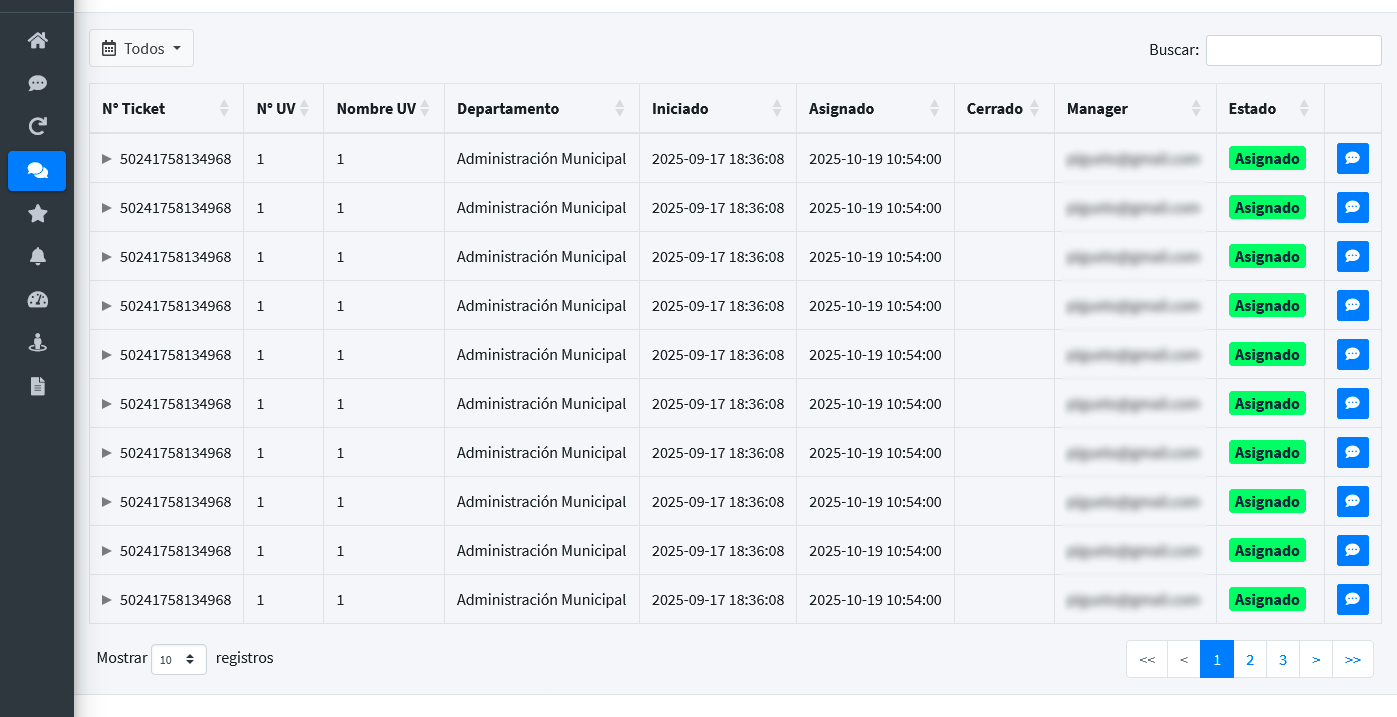
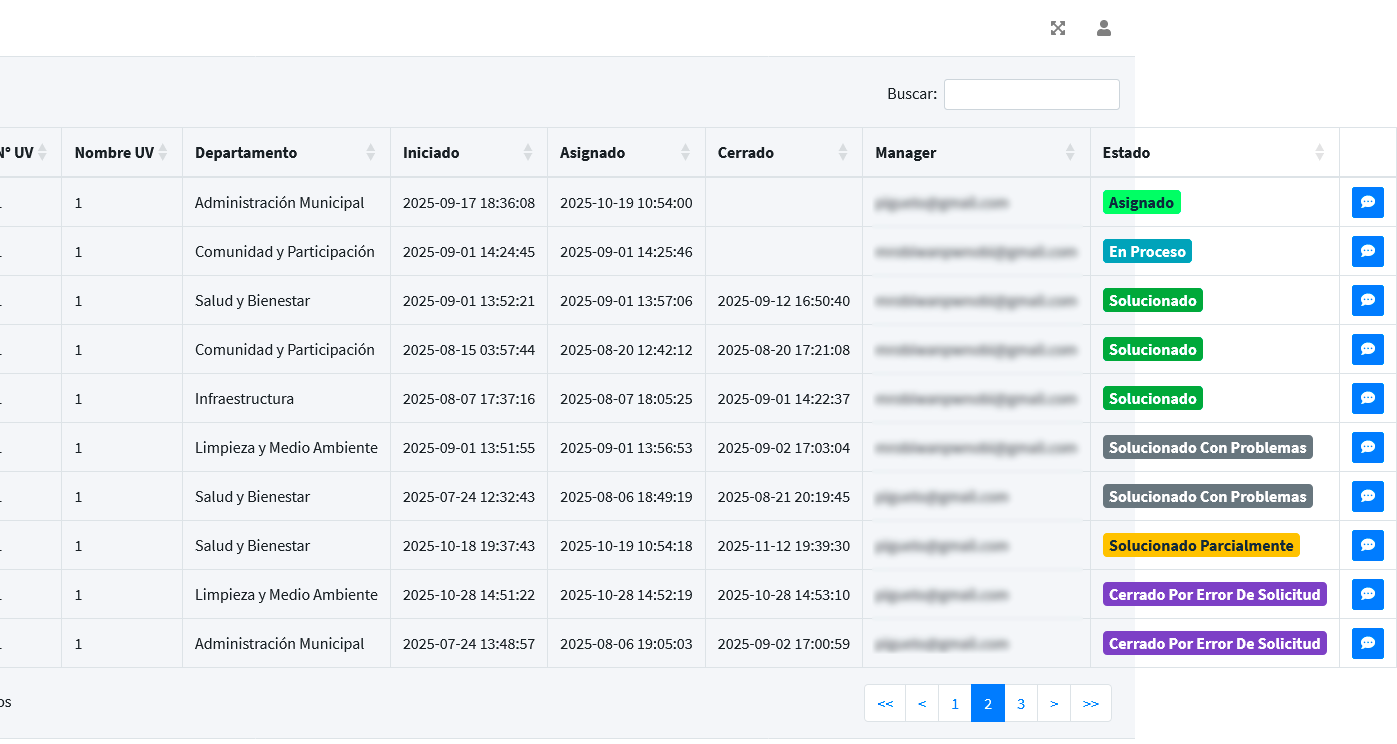
When switching pages or sorting a column, the table overflows its container.
Table loaded:
After switching page:
workaround:
dt.on( 'page', function () {
    setTimeout(function(){
        dt.columns.adjust().responsive.recalc();
    }, 1);
});

dt.on('order', function () {
    if (dt.page.info().pages > 1) {
        setTimeout(function(){
            dt.columns.adjust().responsive.recalc();
        }, 1);
    }
});

dt.on( 'length', function () {
    setTimeout(function(){
        dt.columns.adjust().responsive.recalc();
    }, 1);
});
Version:
JSZip 3.10.1, pdfmake 0.2.7, DataTables 2.3.5, Buttons 3.2.5, HTML5 export 3.2.5, Print view 3.2.5, Responsive 3.0.7
Answers
Normally that behavior shouldn't happen. Sounds like there is a styling conflict with your page causing the need to use
dt.columns.adjust().responsive.recalc()for standard Datatables functions. Can you post a link to your page or test case replicating the issue so we can help debug?https://datatables.net/manual/tech-notes/10#How-to-provide-a-test-case
Kevin
I took a Bootstrap 4 template, which is similar to my project's, and i added the table.
https://live.datatables.net/yitedija/1/edit
Thanks for the test case. Looks like the Datatable width goes past the enclosing container if the column data width increases. This want clear to me from the screenshots I'm not sure how Datatables calculates the column widths on table load. @allan will need to take a look.
I did notice that opening a responsive child seems to fix the issue too. Load the open and open a child row. Go to another page and it works. However if you close the child then the table width changes again when going to another page. Not sure why but it's interesting and maybe will help Allan debug.
Kevin
Black magic
I all seriousness, thank you for the test case, there is something going wrong there, but I'm not immediately sure what. I'll need to look into what my intention was for column widths when content is wider on the second page, and what Responsive should do with that. I've got a busy few days coming up, but I'll look into this as soon as I can and get back to you.
Allan