
migration from 1.x to 2.x with jquery ui
migration from 1.x to 2.x with jquery ui
 louking
Posts: 286Questions: 56Answers: 0
louking
Posts: 286Questions: 56Answers: 0
Description of problem:
I can create the associated test cases if needed, but hopefully not. I'm noticing some header differences between 1.x and 2.x. I can ignore these but they're a bit annoying. In 1.x the header is bold and justified left, but in 2.x it's normal and justified right. I think the th element in 2.x has more classes like dt-type-numeric which might be getting in front of the jquery ui css.
Note I'm using jquery ui styling.
1.13


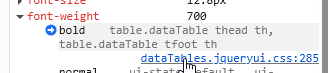
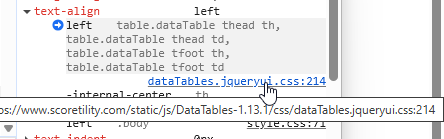
2.3.8


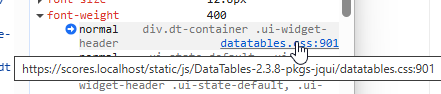
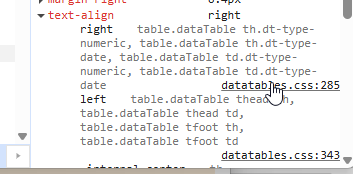
This question has an accepted answers - jump to answer
Answers
For numeric and date columns, to keep the header in alignment with the content. There is some discussion about that in the 2.3 release post and you can see it in the examples such as this one.
If you don't want DataTables to align the header to match the content of the column, you can use:
to remove the default class that causes the alignment. I think I might add a CSS variable for this, as it is something that has come up a couple of times.
Regarding the bold-ness. I think the best option for the moment is to add:
to your CSS if you want that. I'll take a look at adding it back in for v3 though, it probably could benefit from that.
Allan
Thanks for the quick response.
I might not have thought the alignment looked weird had it not wrapped. If you look at my screen shot "Gen Place" has Place correctly aligned with the 1 below, but Gen is a space to the right. Same with "AG %age"
regarding the font weight, it looks like your css is more specific and therefore used. This after adding the css you're suggesting.
I was able to get my desired rendering with the following, which also bolds the header and keeps the header text on one row if there's enough room.
Nice one - thanks
Allan